Modern AV control is more than designing a touchscreen interface.
Every button, slider, camera view, or room control eventually needs to interact with something in the physical world — a projector, display, motorized screen, sensor, relay, camera, lighting system, intercom, or building automation platform.
AVstudio is designed around a simple idea:
Bring interface development, deployment, communication, and hardware control into one connected workflow.
Build → Display → Connect → Control
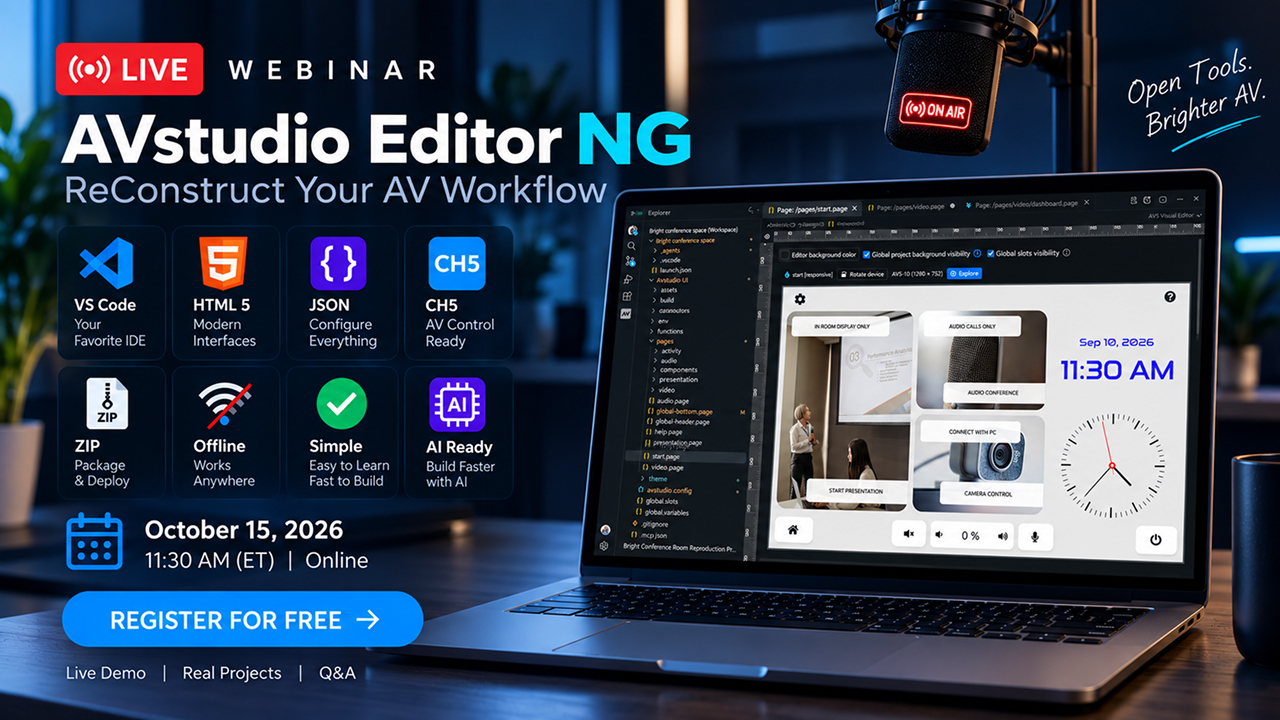
Build in AVstudio Editor NG
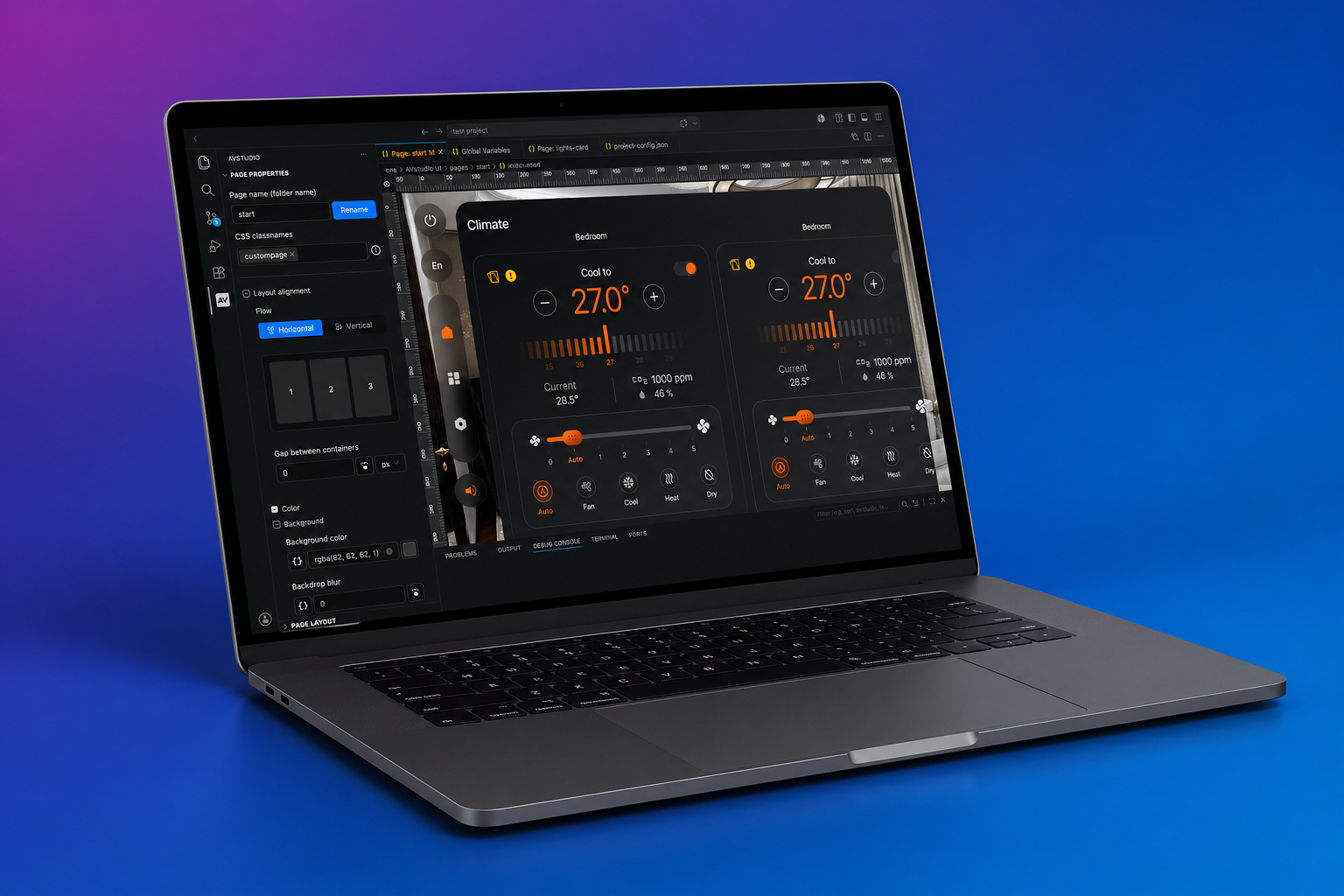
The workflow begins with AVstudio Editor NG, the next generation of the AVstudio development environment.
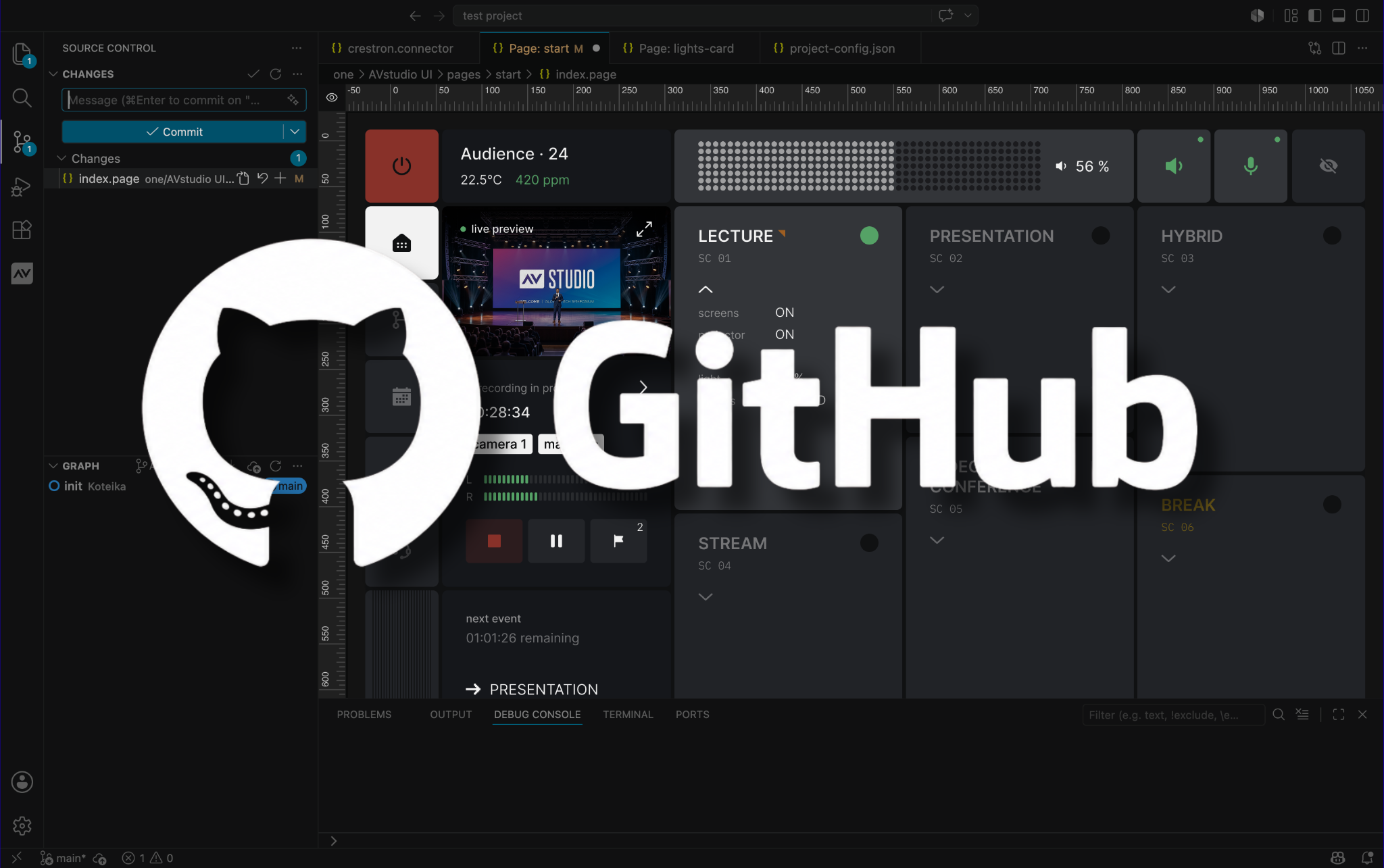
Instead of creating another isolated proprietary editor, AVstudio NG is being developed as a Visual Studio Code extension. It combines visual interface creation with direct access to project files and professional development tools inside the same environment. AVstudio
An AV integrator can work visually when that is faster, while still having access to the underlying project when deeper customization is required.
Visual When You Want It. Code When You Need It.
AVstudio NG brings several modern software-development concepts into AV interface development:
Visual interface creation for building responsive control interfaces.
Open, human-readable project files instead of locking an entire project inside a proprietary project container.
Git and GitHub workflows for history, branching, code review, collaboration, archiving, and project handoff.
Web technologies including HTML, CSS, JavaScript, and JSON.
AI-assisted development, where compatible coding assistants can use the project structure as context to help create pages, configure actions, apply styles, write code, and validate projects.
Local and developer-owned projects, allowing integrators to maintain backups, reuse components and libraries, and retain access to their project files. AVstudio
This creates a development workflow much closer to modern software engineering while preserving the speed of visual AV interface design.
Explore AVstudio Editor NG
From Project to Touch Interface with App Container
Once the interface is built, the next step is putting it on an actual device.
That is the role of AVstudio App Container.
App Container is an iOS and Android shell designed to turn HTML5 applications into full-screen, native-feeling touch experiences. Projects execute locally on the device rather than depending on a conventional browser interface or continuous cloud connection. GitHub
The concept is straightforward:
Build the interface once. Run it on the device.
Projects can be loaded from local .zip or .ch5z files, a direct URL, or the built-in demo library, and multiple projects can be installed on the same device. GitHub
For AV integrators, this is particularly useful because an HTML5 control project can become a dedicated full-screen control experience without requiring a separate native application to be developed and published for every project.
It also means App Container isn’t limited to AVstudio-created interfaces. It can provide a deployment environment for compatible HTML5 projects used in smart homes, building automation, commercial dashboards, industrial control, and other applications. GitHub
Explore the AVstudio App Container on GitHub
From the Interface to Professional Hardware
The next step is where the software meets the room.
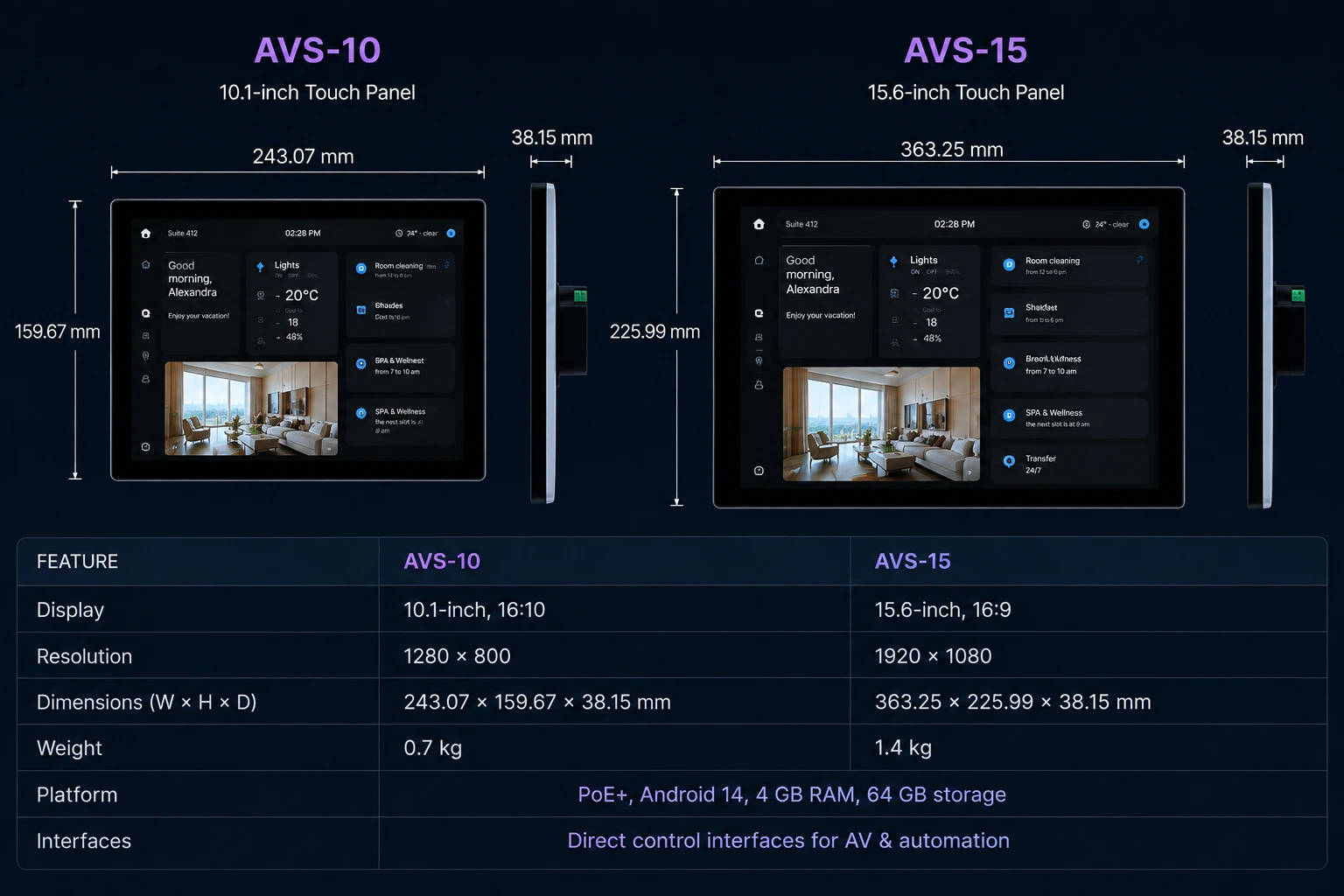
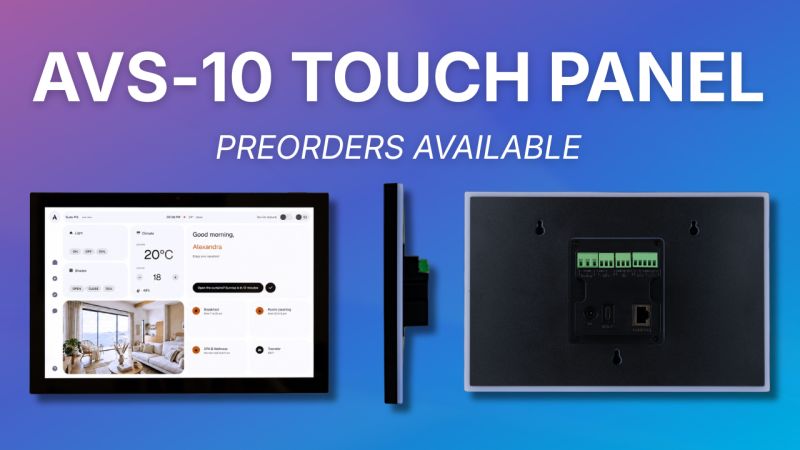
AVS-10 and AVS-15 Touch Panels are purpose-built professional control panels designed for permanent AV and automation installations and continuous operation.
Both models run Android 14 with 4 GB RAM and 64 GB storage and provide Gigabit Ethernet with PoE+, Wi-Fi 6, Bluetooth 5.3, professional hardware interfaces, integrated sensors, and remote configuration capabilities. AVstudio
The AVS-10 provides a 10.1-inch IPS 1280 × 800 display, while AVS-15 provides a 15.6-inch Full HD 1920 × 1080 display. AVstudio
But the important distinction is that an AVS panel is intended to be more than a touchscreen.
One Panel. Multiple Ways to Connect.
AVS Touch Panels can connect directly to AV, automation, network, and communication systems.
The platform includes or supports connectivity such as:
Ethernet / PoE+
Network connectivity and single-cable power installations.
RS-232 / RS-485
Direct communication with compatible AV and automation equipment.
Relay
Control devices such as motorized screens, gates, or other contact-driven equipment.
Digital I/O
Receive or send signals to sensors and other room devices.
IR
Control compatible infrared equipment.
MQTT
Integrate with automation and IoT architectures.
RTSP
Bring compatible network video streams into the control experience.
HTTP / HTTPS and WebSocket
Connect to network APIs, services, and real-time systems.
And there is another important part of the platform:
SIP communication. AVstudio
Explore AVS Touch Panels
Control. Communicate. Answer the Door.
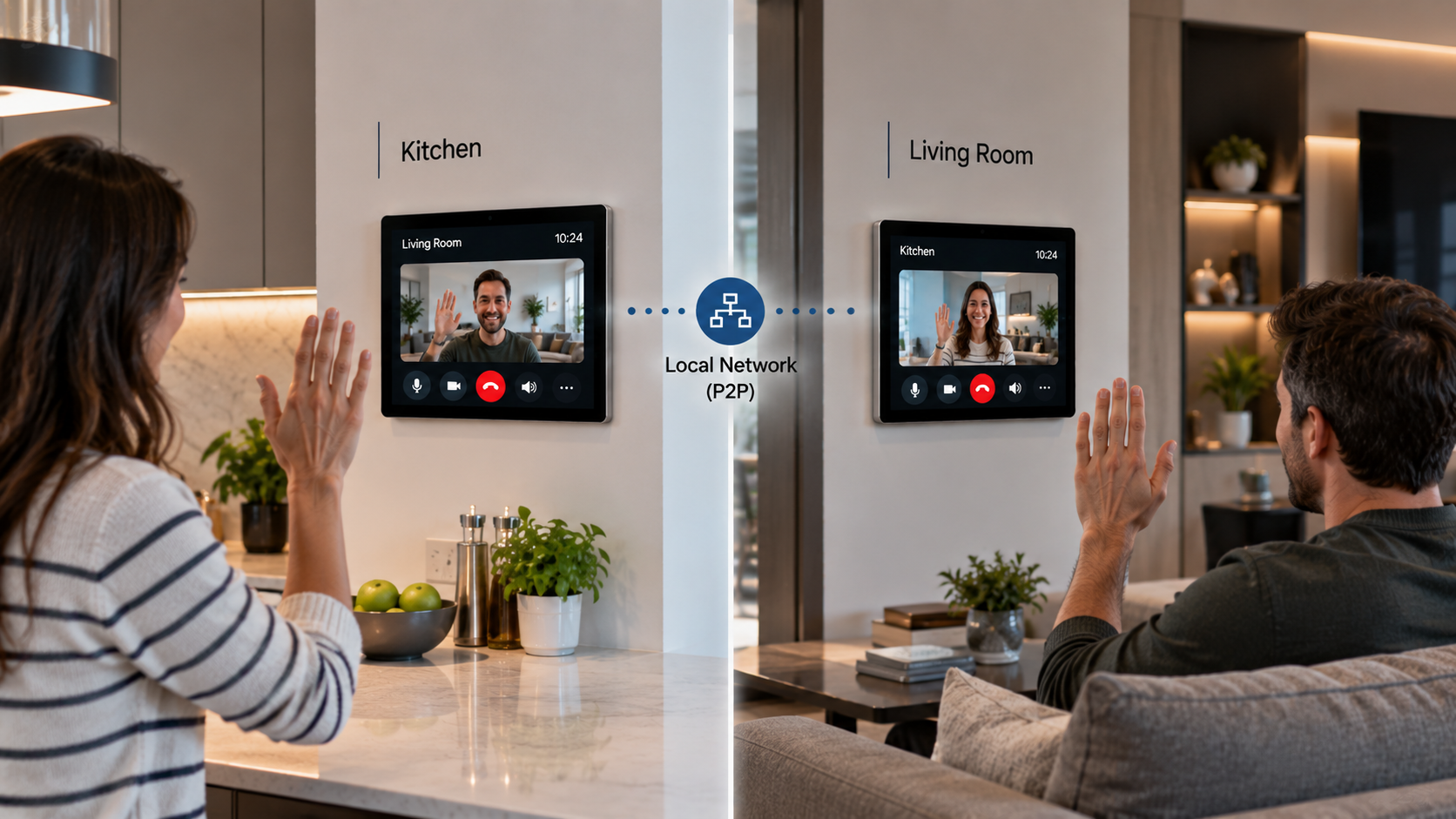
SIP expands the role of a touch panel beyond traditional AV control.
AVS Touch Panels support SIP-based communication with compatible endpoints and systems. This can allow the same wall-mounted interface used for AV and automation to participate in intercom and entry scenarios. AVstudio
For example, an AVS panel could combine:
Room Control — lighting, climate, displays, audio, shades, and automation.
Video Intercom — receive video calls from compatible entrance or door stations.
Door & Entry Control — combine communication with cameras, locks, gates, and access systems.
SIP Calling — communicate with compatible SIP endpoints.
Instead of treating AV control, cameras, automation, and intercom as completely separate user experiences, they can become parts of the same interface. AVstudio
A Conference Room Example
Consider a conference room with an AVS-10 installed on the wall.
The interface was created in AVstudio NG and is displayed on the panel.
The user presses:
Start Presentation
That single action could initiate multiple operations:
RS-232 → Projector
Power on the projector and select the appropriate input.
Relay → Motorized Screen
Lower the projection screen.
I/O → Room Sensor
Use information from physical room sensors as part of the automation logic.
RTSP → Camera
Display a compatible network camera stream within the interface.
Other IP integrations can communicate using MQTT, HTTP, HTTPS, WebSocket, or custom systems.
And where communication is required, SIP can bring intercom functionality into the same panel experience. AVstudio
To the person using the room, this can remain one simple interface.
Behind it is an entire AV and automation system.
Local Operation Matters
Professional control systems should not become unusable simply because an Internet connection disappears.
AVS Touch Panels are designed to run HTML5 interfaces locally, and local interfaces and local system communication can continue operating on the local network without requiring a continuously available Internet connection. AVstudio
App Container follows a similar philosophy: compatible HTML5 projects can execute locally on the device and provide an offline-capable full-screen experience. GitHub
That makes local execution an important part of the overall AVstudio architecture.
Not Just for AVstudio Systems
AVS Touch Panels are also designed to fit into existing control architectures.
They can serve as professional HTML5 interfaces alongside systems and technologies such as Crestron, Q-SYS, AMX, Global Caché, NETIO, MQTT, RTSP, and custom systems. AVstudio
That means adding an AVS Touch Panel does not necessarily require replacing an existing control system.
The panel can become another interface into the existing architecture.
More Than a Touchscreen
AVS hardware also includes features intended specifically for installed control applications.
Both AVS-10 and AVS-15 include temperature, humidity, ambient-light, and presence sensors, along with RGB LEDs, microphones, speakers, and a 5 MP camera. AVstudio
The programmable RGB backlight can communicate information such as room status, occupancy, calls, alerts, or other system events. AVstudio
That opens possibilities beyond traditional button-based AV control.
A touch panel can become a source of information about the room itself.
One Workflow
Taken together, the AVstudio ecosystem creates a workflow with four clear stages:
BUILD
Create the interface in AVstudio Editor NG, combining visual development with modern project files, Git workflows, web technologies, and developer tools.
DISPLAY
Use AVstudio App Container to turn compatible HTML5 projects into full-screen touch experiences running locally on the device.
CONNECT
Use AVS Touch Panels to connect the interface to real AV, automation, network, sensor, and communication systems through RS-232, RS-485, Relay, I/O, IR, SIP, MQTT, RTSP, HTTP/HTTPS, WebSocket, and other integrations.
CONTROL
Bring AV, automation, monitoring, cameras, sensors, and communication together into an interface designed around the space and the people using it. AVstudio
From UI to Hardware
The interface is only the beginning.
The real value appears when a control created on a developer’s screen becomes an action in the physical world.
A button turns on a projector.
A relay lowers a screen.
A sensor changes how the room behaves.
A camera becomes part of the interface.
A SIP call arrives from the entrance.
And all of those interactions can become part of one connected user experience.
That is the direction behind AVstudio:
From UI to hardware. From ideas to real spaces.
Explore the Platform
AVstudio Editor NG — Next-Generation AV Development
AVS-10 & AVS-15 Professional Touch Panels
AVstudio App Container — GitHub
AVstudio Editor NG is currently marked Coming Soon, with Preview & Early Access available for selected participants while development continues.