Author: Brandon Faucette

  • Native iOS/Android Web Container

    Run web applications natively within a self-contained, offline environment. App Container provides a dedicated runtime for HTML5 projects without requiring external hosting or connectivity.

  • App Container Opens for Beta Testing. Apply Now!

    App Container Opens for Beta Testing. Apply Now!

    AVstudio is excited to announce that our newest product, App Container, is now open for beta testing!

    APPLY AS A BETA TESTER: [LINK]

    We’re proud that AVstudio Editor has already completely transformed AV interface development. Where integrators once faced long hours of complex coding or the constraints of rigid builders,  AVstudio Editor introduced a fast, flexible, and intuitive way to design user interfaces.

    Now, with App Container, we’re expanding that ecosystem to give you the number one way to view, deploy, and run your projects on mobile devices. Whether your project was built in AVstudio, AMX, QSC, KNX, Crestron, another platform, or even as a custom HTML5 project, App Container lets you run, test, and manage it seamlessly on both iOS and Android.

    The Value of App Container

    Throughout the development process of an interface or web design, viewing your projects through traditional browsers isn’t enough. They’re limited in stability, remote management, and working with specialized integrations. App Container serves as a reliable and dedicated environment for running, viewing, and managing professional interfaces. While it excels with AV projects, App Container is also built to run website designs or other programs to meet your specific needs.

    Key features include:

    Simplified Project Management

    • Create and organize multiple project lists.
    • Switch seamlessly between applications.
    • Manage deployments, upload archives, and push updates all remotely.

    Mobile Web Server Power

    • Run apps locally, even without an internet connection.
    • Debug with advanced tools, including automatic screenshot capture.

    Developer-First Integration

    • CI/CD pipeline integration
    • Switch seamlessly between applications.

    Flexibility Beyond Browsers

    • Skip common web limitations
    • Compatible with secure and specialized systems

    App Container is a dedicated deployment and runtime platform built for the unique needs of AV interface, automation, website, or program development. By combining universality, remote management, and modern debugging tools, it delivers a level of quality that ordinary browsers can’t match.

    Help Us Make App Container Better

    In our effort to make App Container the best it can be, we invite you to join as a beta tester. As a beta tester, you’ll gain early access to the platform and play an essential role in shaping its future. We value your feedback and encourage you to report any issues, critiques, or questions you may have to our team.

    APPLY AS A BETA TESTER: [LINK]

    You can also connect with our community for support and discussions:

    COMMUNITY: [LINK]
    DISCORD: [LINK]

  • What’s the Fastest Way to Build a Crestron Interface?

    What’s the Fastest Way to Build a Crestron Interface?

    Developing a Crestron interface can be a challenging task, especially when integrators are seeking the perfect balance between the cost of development, the quality of the design, the flexibility of the interface, and the speed of delivery. In today’s UI development landscape, several tools and methods are available for integrators to choose from, each with their own advantages and limitations. The approach you choose can make a notable difference in how effectively a polished and user-friendly interface can be made.

    Let’s take a closer look at the main options available and what they bring to the table.

    Option 1 – Manual Coding

    The first and most traditional approach is to code your user interface from scratch. The most significant advantage of this method is having complete control over the design and functionality of the interface. Every single element of the interface, from buttons and layouts to navigation and dynamic behavior, must be manually written, line by line. This enables the creation of truly custom features that may not be possible with pre-built tools.

    But the tradeoff is hefty. The overwhelming downside to manual coding is the significant time, knowledge, and budget required to create a professional design. Writing code manually can immensely stretch a project timeline. Even minor adjustments often require digging through the code and extensive retesting. Trial and error is common, and specialized programming knowledge is essential just to get started. For many projects, this method may be entirely impractical due to its scope or budget constraints.

    While manual coding offers the most control over a final design, it is almost always the most expensive, time-consuming, and laborious. Fortunately, there are alternatives that make building a polished Crestron interface faster and more accessible.

    Option 2 – Common Interface Builders

    Another approach is to use common interface builders provided by control system manufacturers. These tools simplify the design process by offering a visual approach to development, rather than requiring manual code writing. With drag-and-drop components, preconfigured templates, and guided workflows, integrators can assemble an interface with significantly reduced technical overhead.

    The main advantage of these builders is accessibility. Teams with little to no programming experience can create fully functioning interfaces. For straightforward projects, they can be practical, time-saving, and budget-efficient solutions.

    However, this option still comes with its own set of issues. Many common interface builders popular on the market today are highly outdated and lack the flexibility to meet modern design needs. Because they are tied to specific manufacturers, integrators are often locked into one ecosystem, limiting cross-platform work. These builders are typically based on standardized templates, which can limit the extent to which you can customize your design. Implementing unique workflows, custom layouts, or tailored branding can be difficult within their limitations.

    Common interface builders, although relatively easy to learn, sometimes fall short when projects require a higher level of creativity, flexibility, or innovation. This is where our final option comes in.

    Option 3 – AVstudio HTML5 Editor

    AVstudio Editor bridges the gap between the accessibility of common interface builders and the versatility of manual coding. This visual editor, built on HTML5, allows integrators to design professional, responsive interfaces quickly and cost-effectively.

    What makes AVstudio Editor stand out is its combination of speed, flexibility, and customization:

    • Drag-and-drop editingbuild layouts with a visual editor, eliminating the need for manual coding.
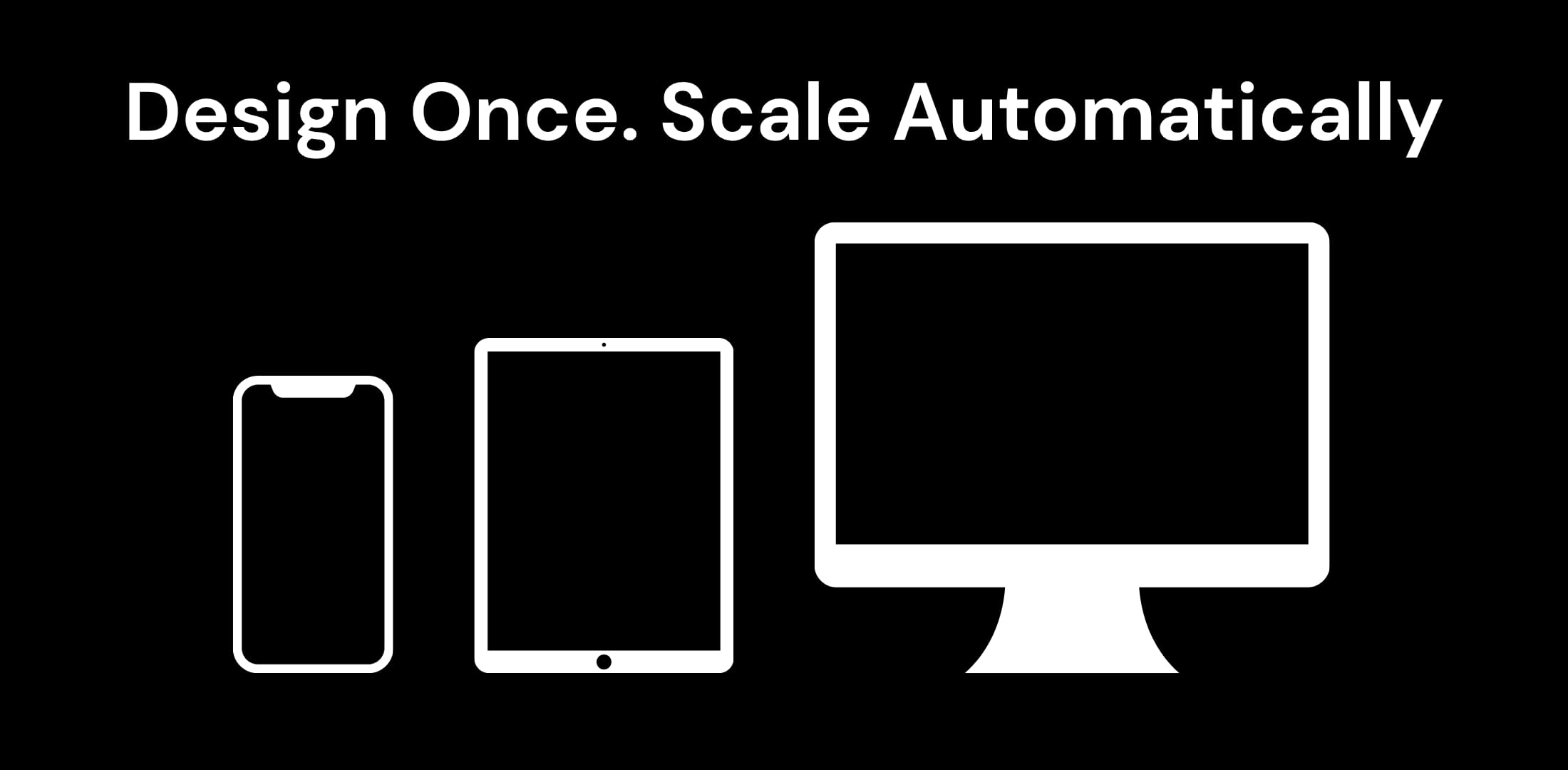
    • Responsive design – create layouts that automatically adapt to different screen sizes and devices
    • Dynamic pagesreuse logic across multiple views to cut down on repetitive work.
    • Reusable templatesstart with proven designs and tailor them to your needs.
    • Support for custom CSS/JS – add advanced styling and behaviors for complete design freedom
    • Live preview mode – test changes instantly without rebuilding and connect directly to real control systems throughout the development process
    • Cross-platform compatibilitybuild once and deploy to multiple devices
    • Scalable projectsdesign both small and complex projects with the process

    Unlike many traditional UI builders, AVstudio Editor isn’t tied to one single ecosystem. While it’s often used to create impressive Crestron interfaces, it can also be applied to other platforms, such as AMX, Q-SYS, KNX, and PLC systems. This provides integrators with the utmost versatility, enabling them to work across multiple technologies with a consistent design workflow.

    Because AVstudio Editor is modern and continuously updated, you’re never stuck with outdated tools. Instead, you have access to the latest features of the industry. The result is polished projects delivered in a fraction of the time manual coding would take, and with far more flexibility than typical builders allow.

    AVstudio Editor empowers integrators to focus on user experience and design quality, rather than getting bogged down in technical roadblocks. For teams seeking to balance speed, cost efficiency, creativity, and versatility for their Crestron interfaces, this is the ideal option.

    Start creating with AVstudio Editor today.

    AVstudio is an independent software platform. Crestron® is a registered trademark of Crestron Electronics, Inc. AVstudio is not affiliated with or endorsed by Crestron Electronics.

  • Modern Nest

    Modern Nest

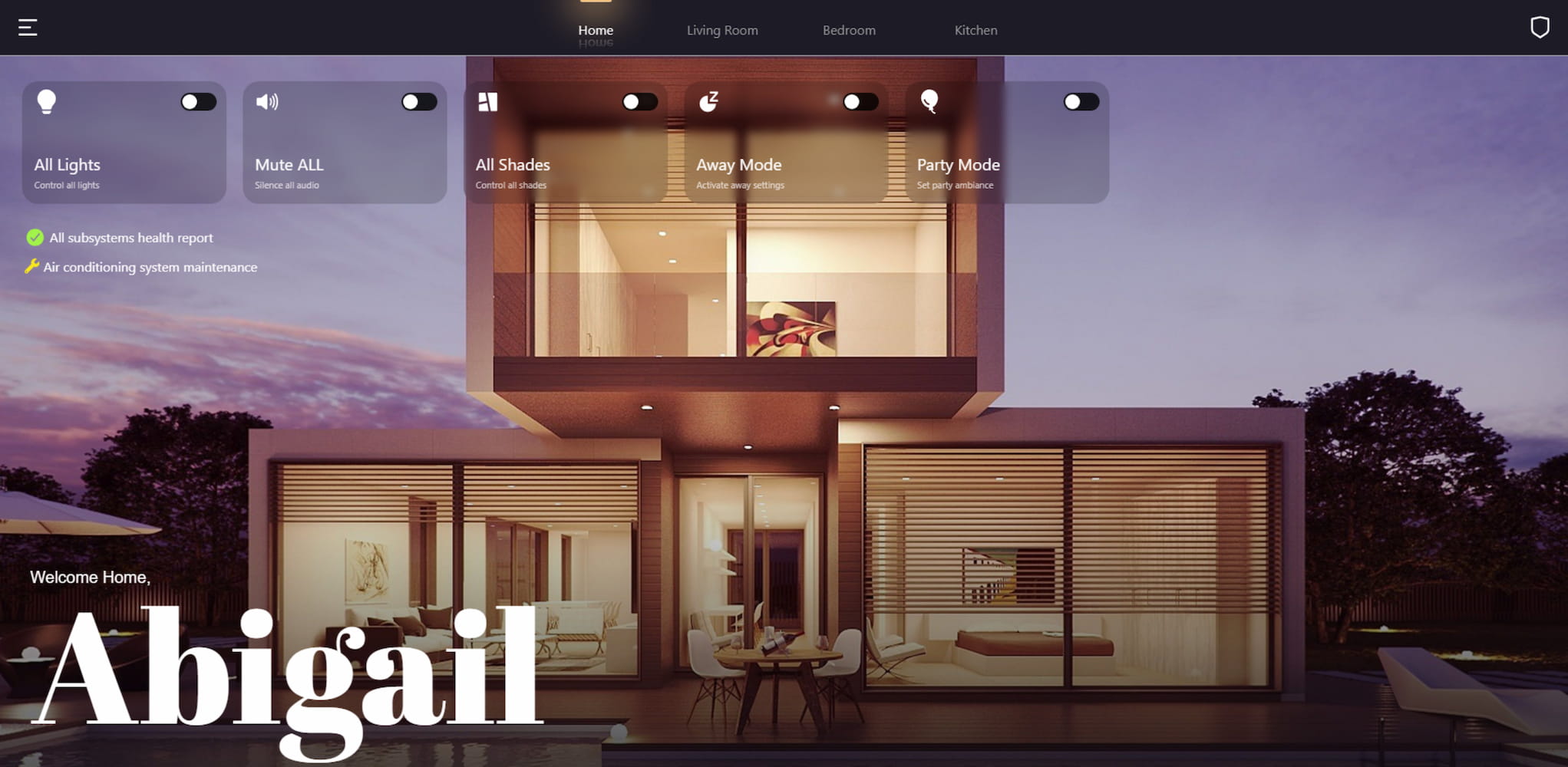
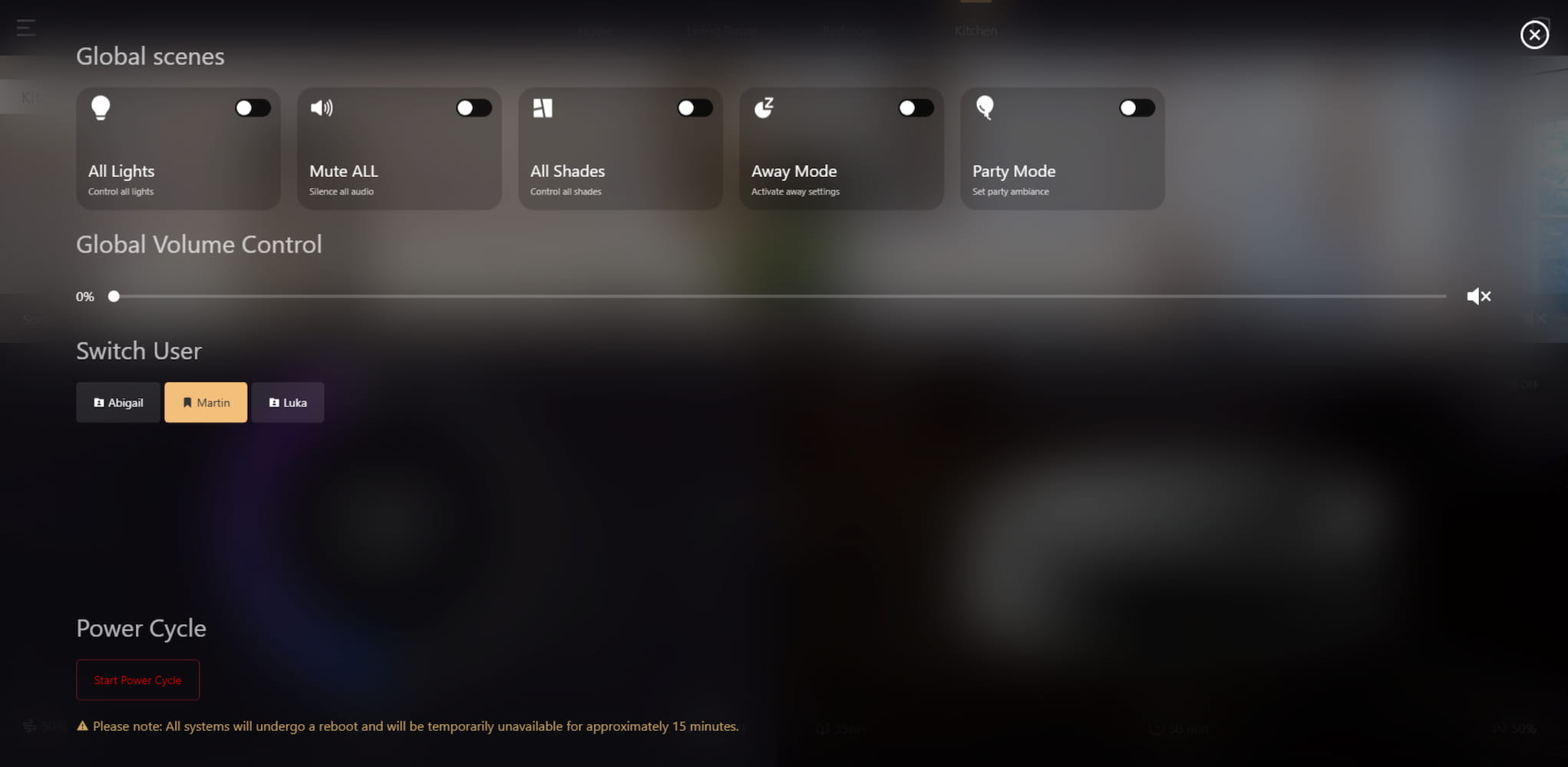
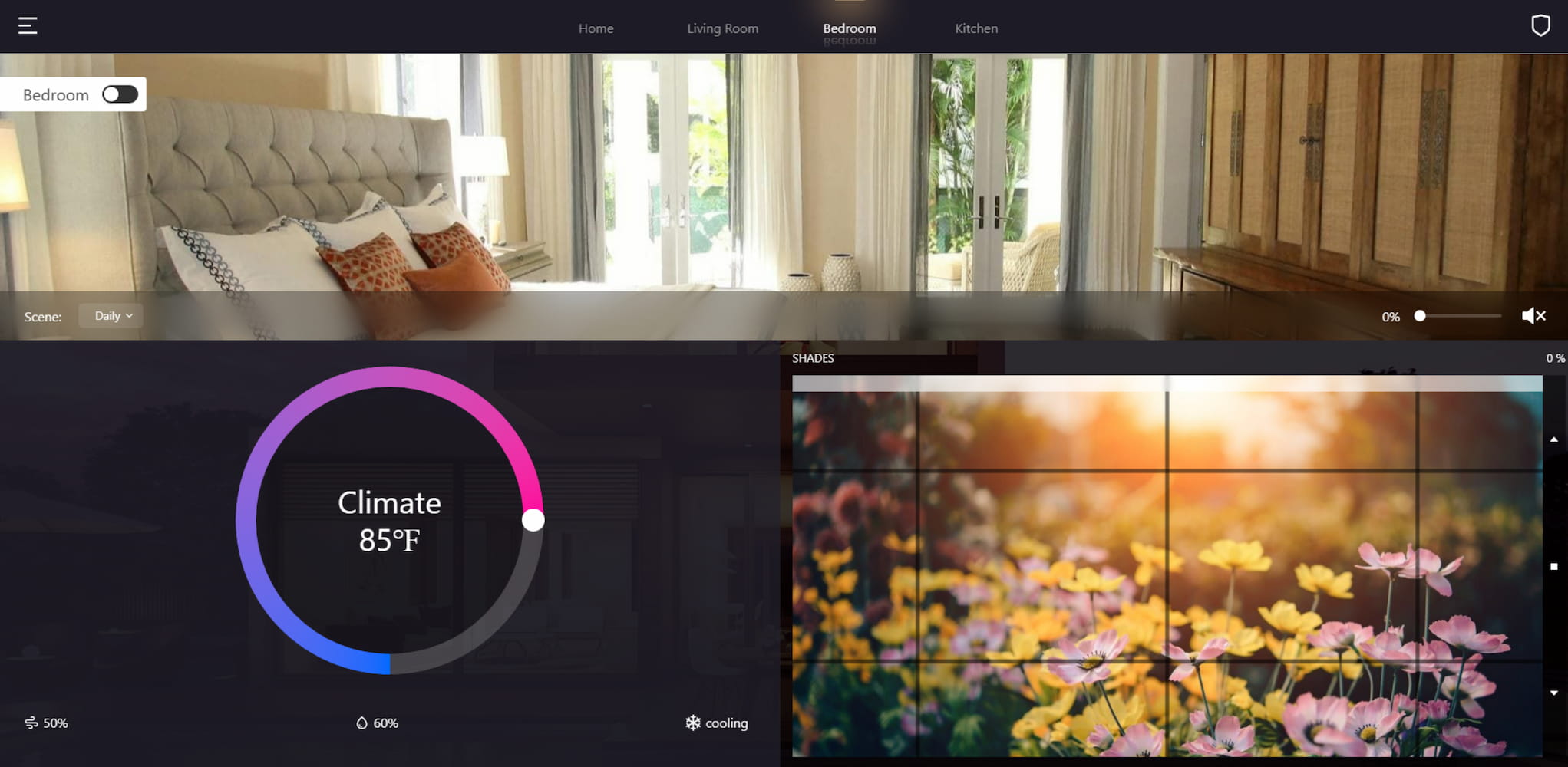
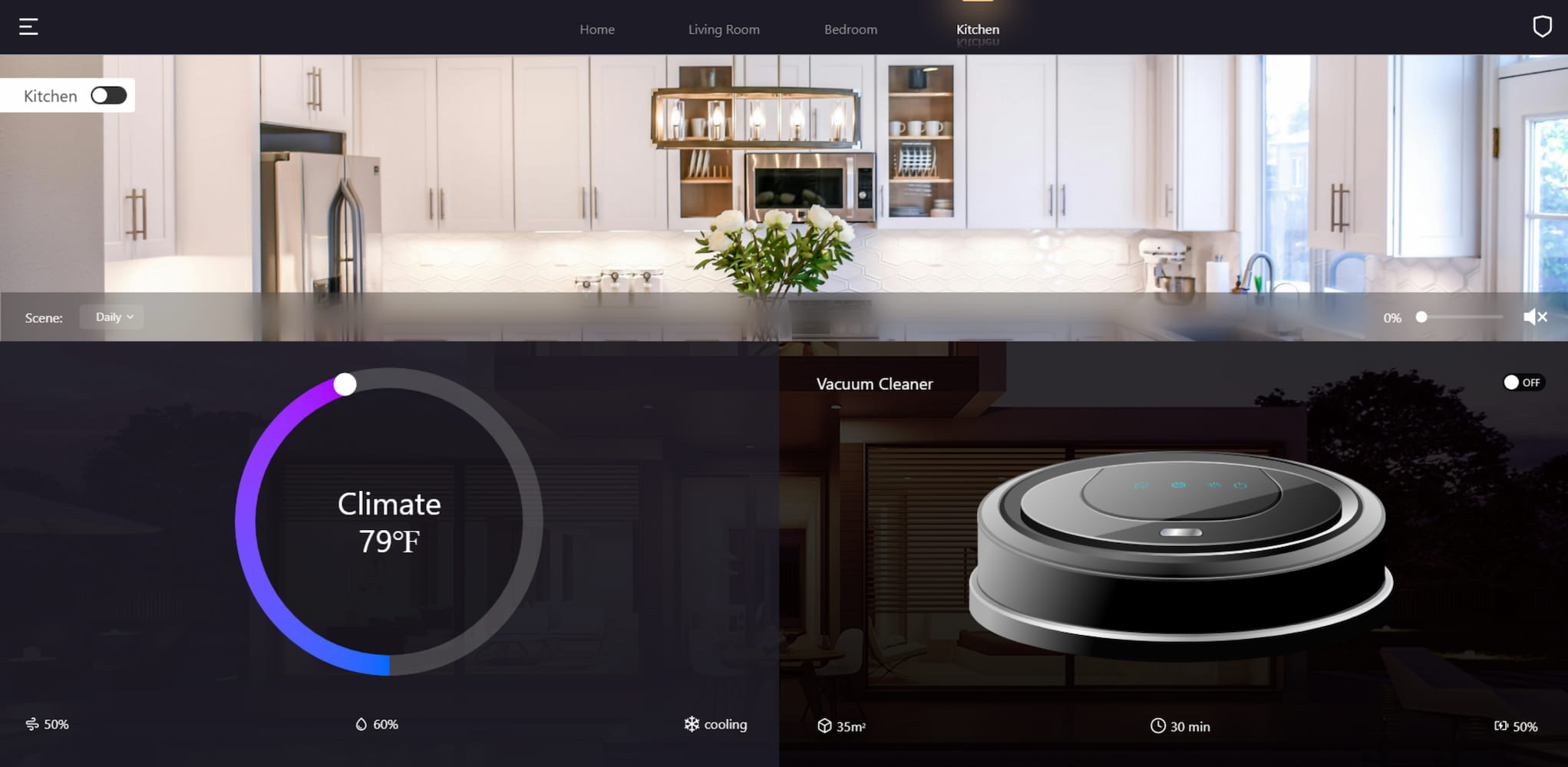
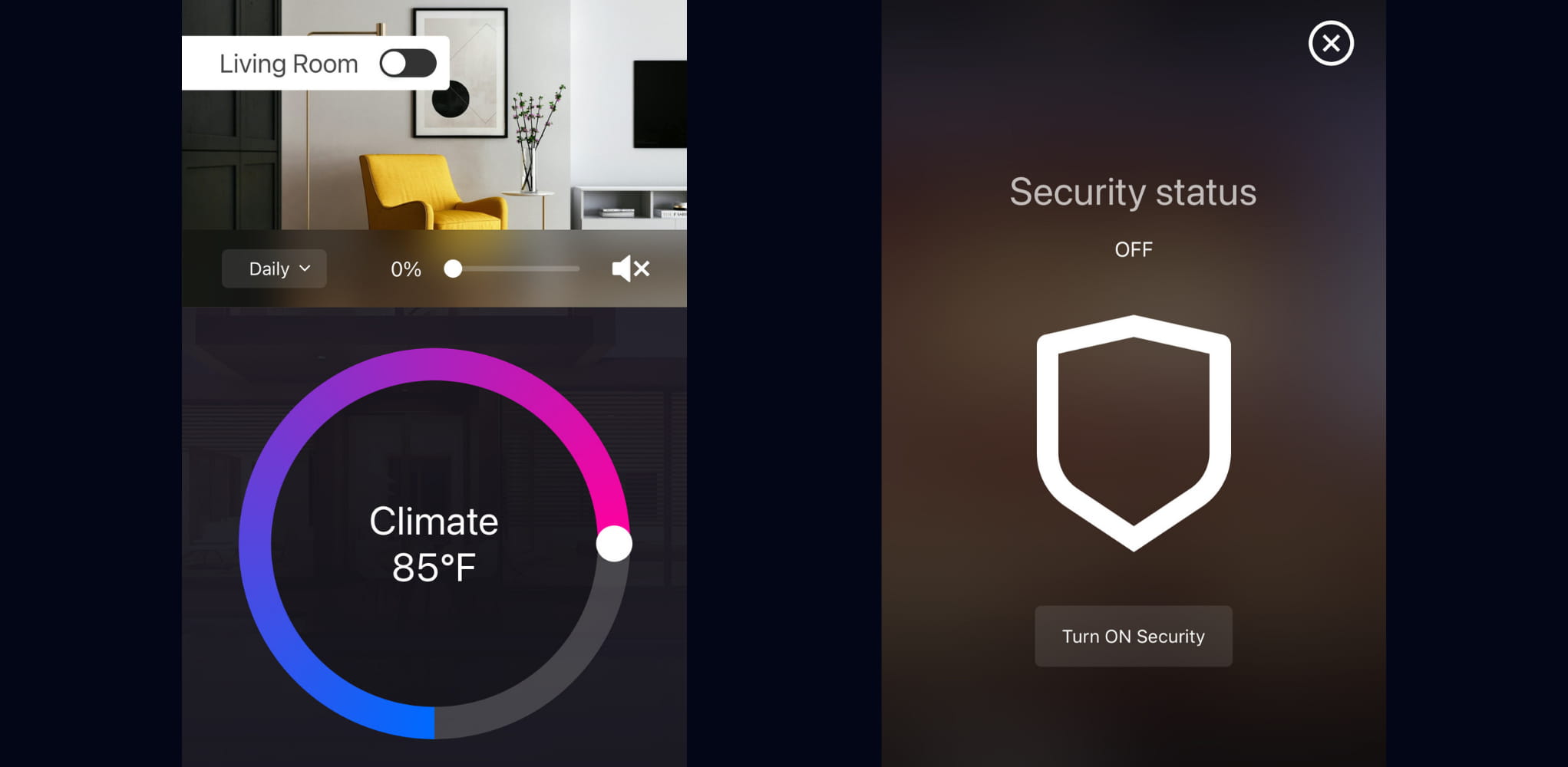
    The MODERN NEST HTML5 demo showcases the extensive yet straightforward smart home management capabilities provided by AVstudio Editor.

    Template Live Preview

    Why use AVstudio?

    Developing a smart home management interface typically requires an extensive and time-consuming development process. MODERN NEST proves how AVstudio Editor accelerates this process, allowing integrators to:

    • Drastically reduce development time
    • Reduce costs by eliminating the need for any external tools, plug-ins, or additional coding
    • Maintain a consistent and fluid design across multiple devices
    • Allow both tech-savvy developers and beginners to build polished solutions easily

    With AVstudio Editor, building a powerful, smooth, and customizable home management interface has never been easier or more accessible, eliminating the need for months of development and specialized expertise.

    Features Showcased

    MODERN NEST highlights some of the most common features for a smart home interface, along with unique capabilities:

    • Lighting Systems – adjust brightness, switch modes, or configure presets for each room
    • Audio Controls – manage sources, volume, and audio selection 
    • Climate Management – set temperatures, monitor air quality, and set A/C or heating schedules
    • Automated Window Shades – raise and lower shades manually or program to align with daylight cycles
    • Remote Vacuum Activation – trigger cleaning at scheduled times or manually
    • Integrated Security – lock doors, access cameras, and activate alarms remotely

    Each system can be arranged individually, attached to preset modes, or saved under user profiles for a versatile and personalized experience.

    Flexible, Fast, & Future-Proof

    What makes the AVstudio Editor impressive isn’t just what you see here with the MODERN NEST demo template; it’s the limitless capacity for expansion and creativity from developers to further push smart home management systems into the future. This isn’t a fixed showcase, but rather a framework designed to evolve and adjust with ease as customer needs change.


    This has a multitude of benefits. For starters, as new smart home products enter the market, AVstudio Editor enables developers to integrate them seamlessly into the existing interface without rebuilding from scratch. Third-party integration is also supported, meaning platforms such as Alexa and Google Home are entirely compatible. AVstudio Editor also allows companies to fully tailor the design of their interface to match their branding. This includes, but is not limited to, logos, colors, and layouts.


    Why does this matter?AVstudio Editor ensures that users won’t have to worry about their smart home management system becoming outdated or falling behind in modern technological capabilities. It grows alongside the market. This is especially beneficial in reducing the cost of adding new features by extending them onto already existing builds. It also provides a competitive edge for developers by allowing them to respond to customer needs and new products rapidly.

    Simple for Developers and Intuitive for Users

    AVstudio Editor delivers a perfect balance between developer efficiency and user simplicity. The MODERN NEST demo template was built entirely with the editor’s standard, built-in tools. This showcases how developers can spend less time coding and more time creating innovative designs. For users, this provides an intuitive navigation and responsive layout that ensures a sense of ease in their home.

    AVstudio Editor is flexible across all platforms, fitting seamlessly on tablets in both landscape and portrait modes, as well as phones. This versatility enables users to manage their smart home from anywhere, providing responsive control and convenience.

    The Big Picture

    While the MODERN NEST demo template is an excellent showcase of the impressive features possible for smart home management interfaces, it demonstrates more than that. It highlights what is possible when development tools are flexible, efficient, and intuitive.

    Through the use of AVstudio Editor, scalable smart home systems have never been easier to build, customize, and deploy without any compromise to functional integrity.

    Start creating with AVstudio Editor today.

    MODERN NEST Showcase