Category: Product Updates

Latest improvements, bug fixes, and new features for AVstudio

  • App Container Update: More Control, Better Display, and Kiosk-Ready Deployments

    App Container Update: More Control, Better Display, and Kiosk-Ready Deployments

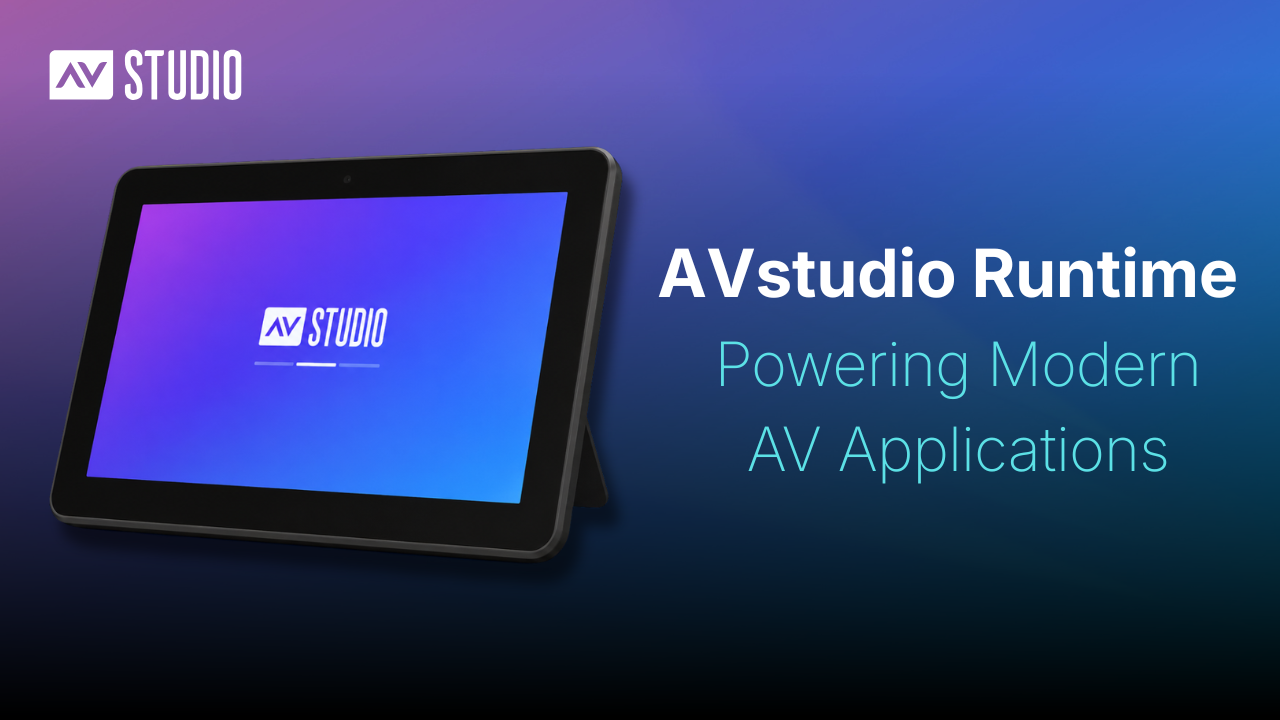
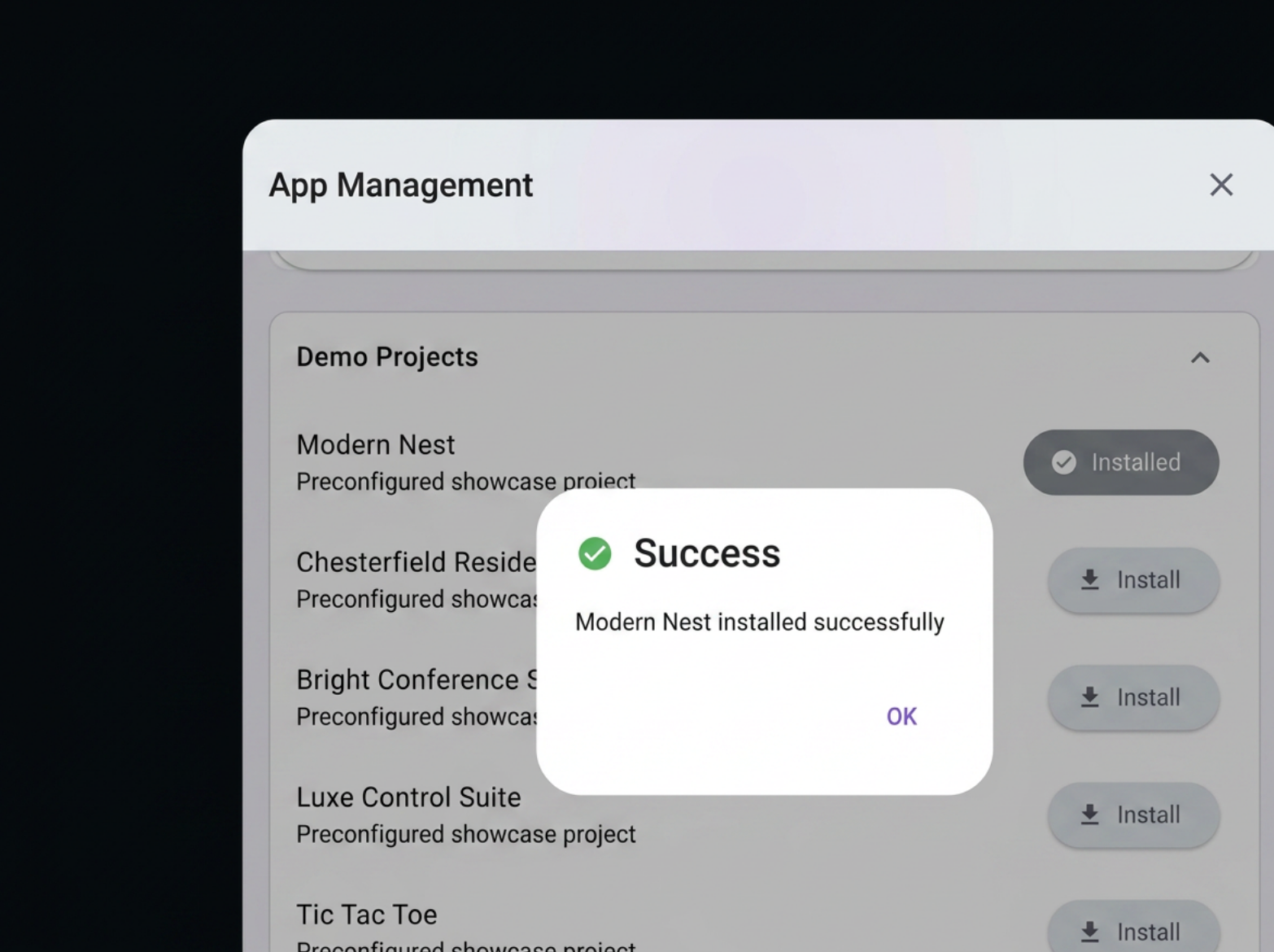
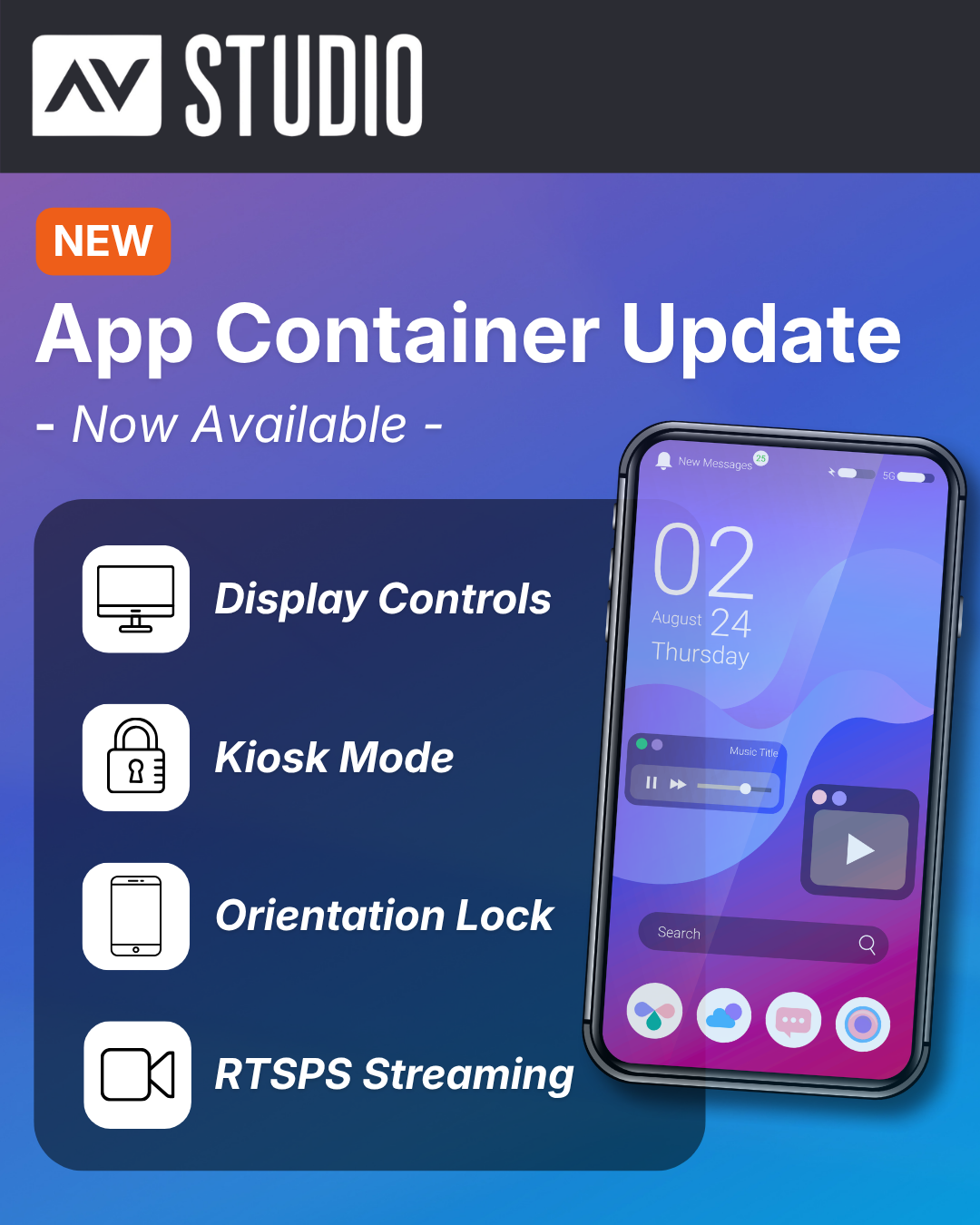
    App Container continues to evolve, with new features and functionality improvements arriving in the newest update. With the latest release, users can expect smoother performance, greater control over display behavior, and expanded capabilities for professional environments.

    New Features and Improvements

    Advanced Display Controls

    Users can now configure the top and bottom safe areas independently in the App Settings. This enables more precise control over how content is positioned on the screen.

    New Top Bar Display Modes

    New display modes have been introduced for the top bar. Users can now choose to:

    • Hide the top bar completely
    • Display it within the safe area
    • Extend content behind a translucent top bar

    These options provide greater flexibility and visibility when viewing projects.

    Screen Orientation Lock

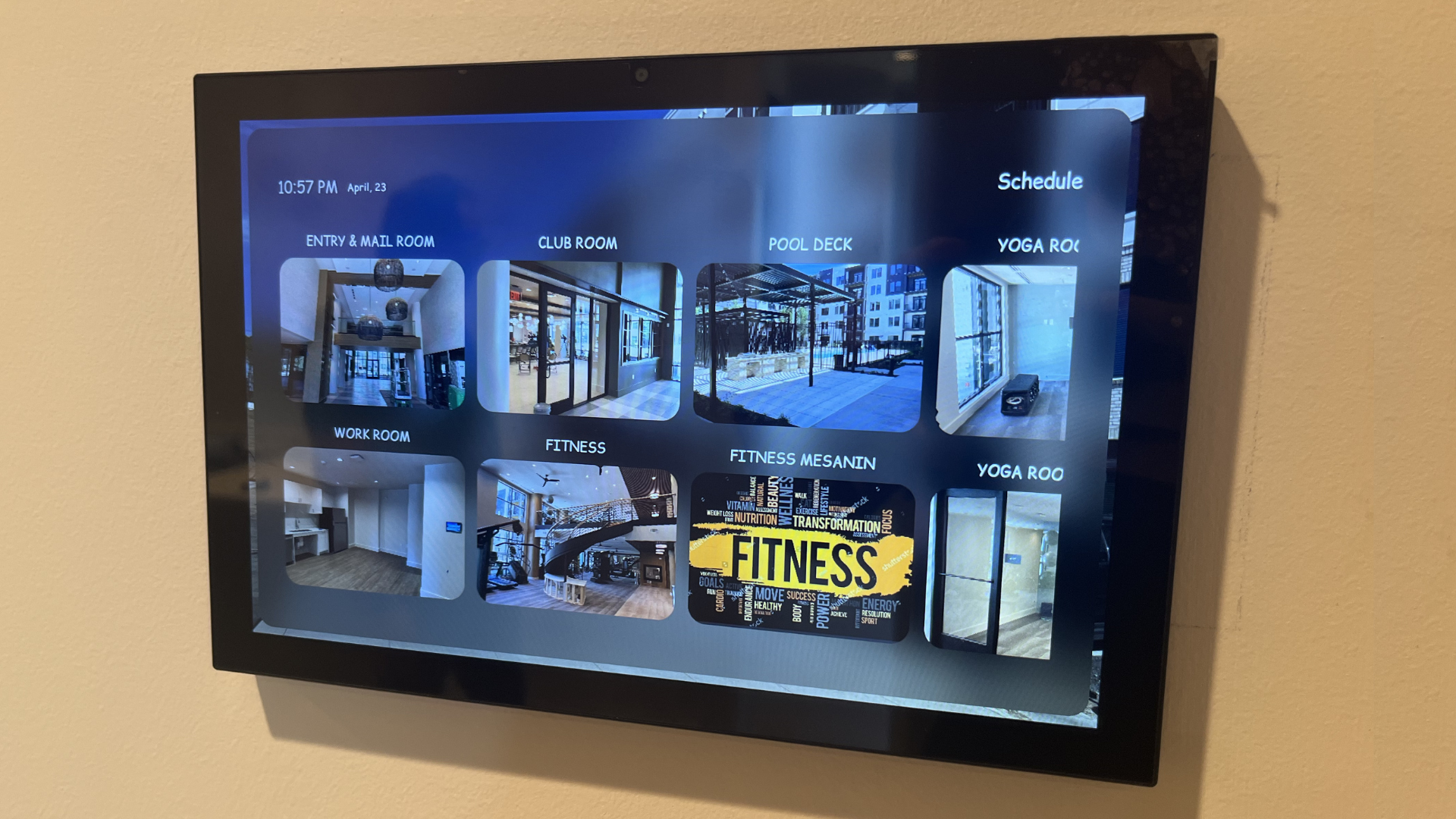
    Users can now lock their device orientation to Portrait or Landscape, or leave it on Auto. This is especially useful for fixed installations such as wall-mounted control panels, where a consistent orientation is required.

    Kiosk Mode 

    Kiosk Mode allows users to lock a device to App Container for dedicated use cases.

    This includes several automation features designed to support reliable, long-term installations, including automatic app launch on device boot, automatic return to full screen after a restart, and automatic screen wake when the device is in standby.

    These capabilities make it simple to configure and deploy App Container in environments such as showrooms, control systems, and client demos. To enable auto-restart functionality, users must grant the “Display over other apps permission when prompted after enabling Kiosk Mode in Settings.

    RTSPS Support

    Secure RTSP streaming over TLS is now supported, enabling reliable playback from sources such as UniFi Protect cameras and other secure video streams.

    To help users get started, documentation is available in the public App Container GitHub repository. This includes guidance for using secure streams directly within App Container, as well as alongside AVstudio Studio. 

    You can explore the available resources here: [Click Link]

    Get Started with App Container

    Ready to take advantage of these new features? Download the latest version of App Container.

    Download now:

  • AVstudio Editor Introduces a Simplified Pricing Model

    AVstudio Editor Introduces a Simplified Pricing Model

    We’re excited to introduce a new, more accessible pricing model for AVstudio Editor. 

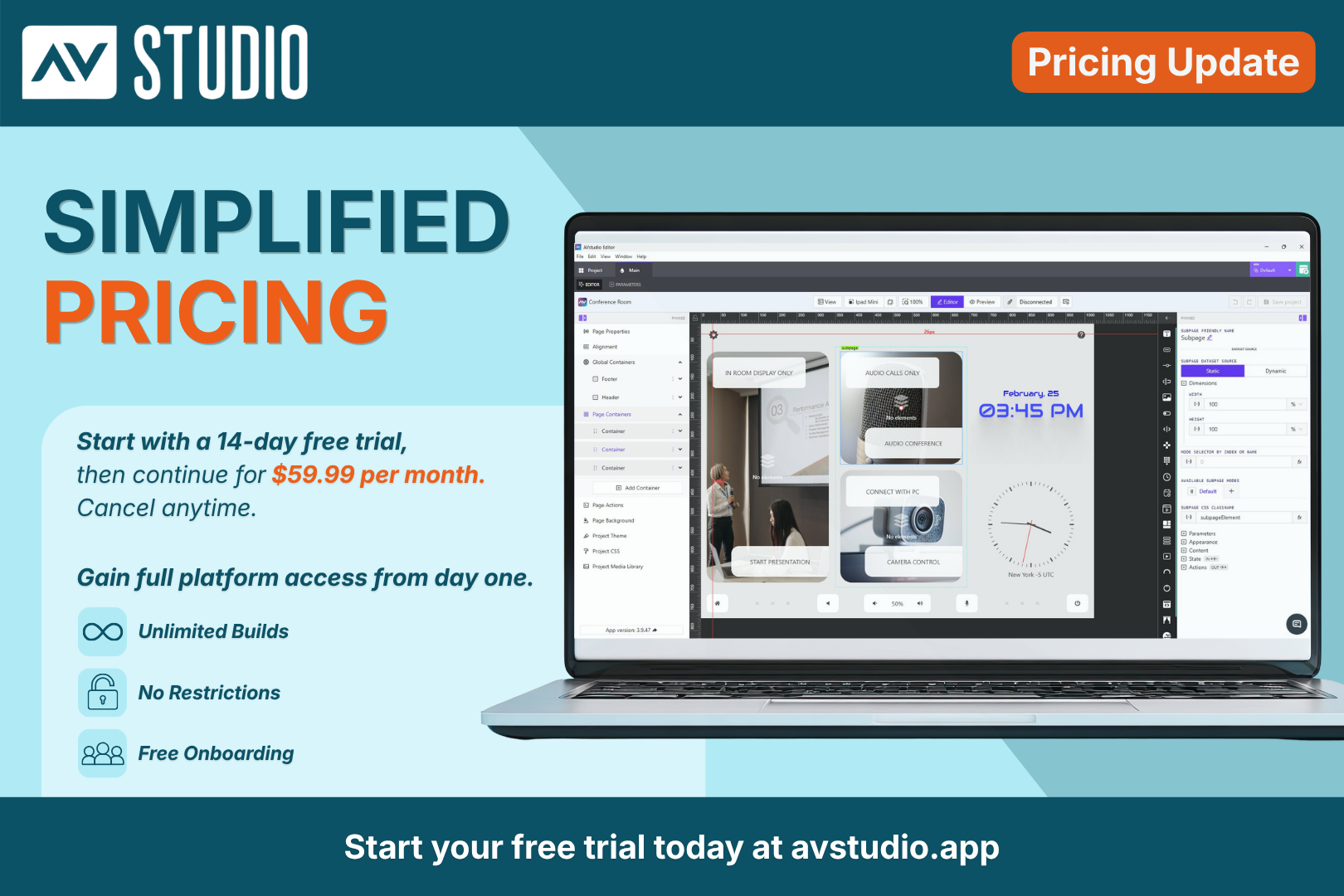
    To access the full platform, all new users now begin with a free 2-week trial of the Professional Plan. From day one, you’ll have unrestricted access to build, upload, test, and deploy real projects, giving you the opportunity to fully explore the platform before making a long-term commitment.

    After your trial ends, your subscription continues at $59/month with the Professional Plan. If the platform is not the right fit for your needs, you can cancel anytime.

    Full Access, More Features, and Unlimited Builds  

    Your free trial includes full access to the entire platform, including unlimited projects, builds, testing, debugging, and deployments. This means there are no per-build costs, hidden fees, or locked features.

    The Professional Plan also includes access to advanced features such as the Autonomic Media Player Widget and Compact Shades Control, along with built-in connectors for AMX and other control systems, simplifying integration.

    With the Professional Plan, users can build and deploy CH5z files ready to upload directly to touch panels or control systems, giving you everything you need to deliver professional interfaces under one single subscription. 

    Why Try AVstudio Editor?

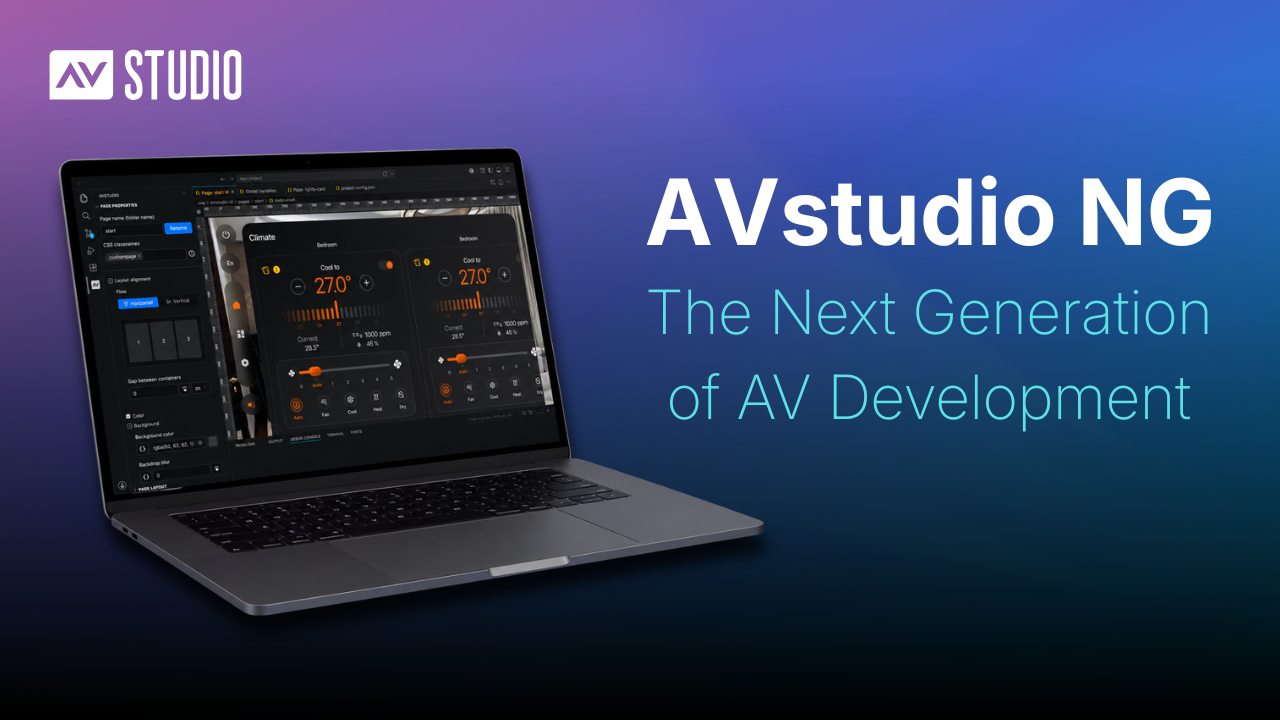
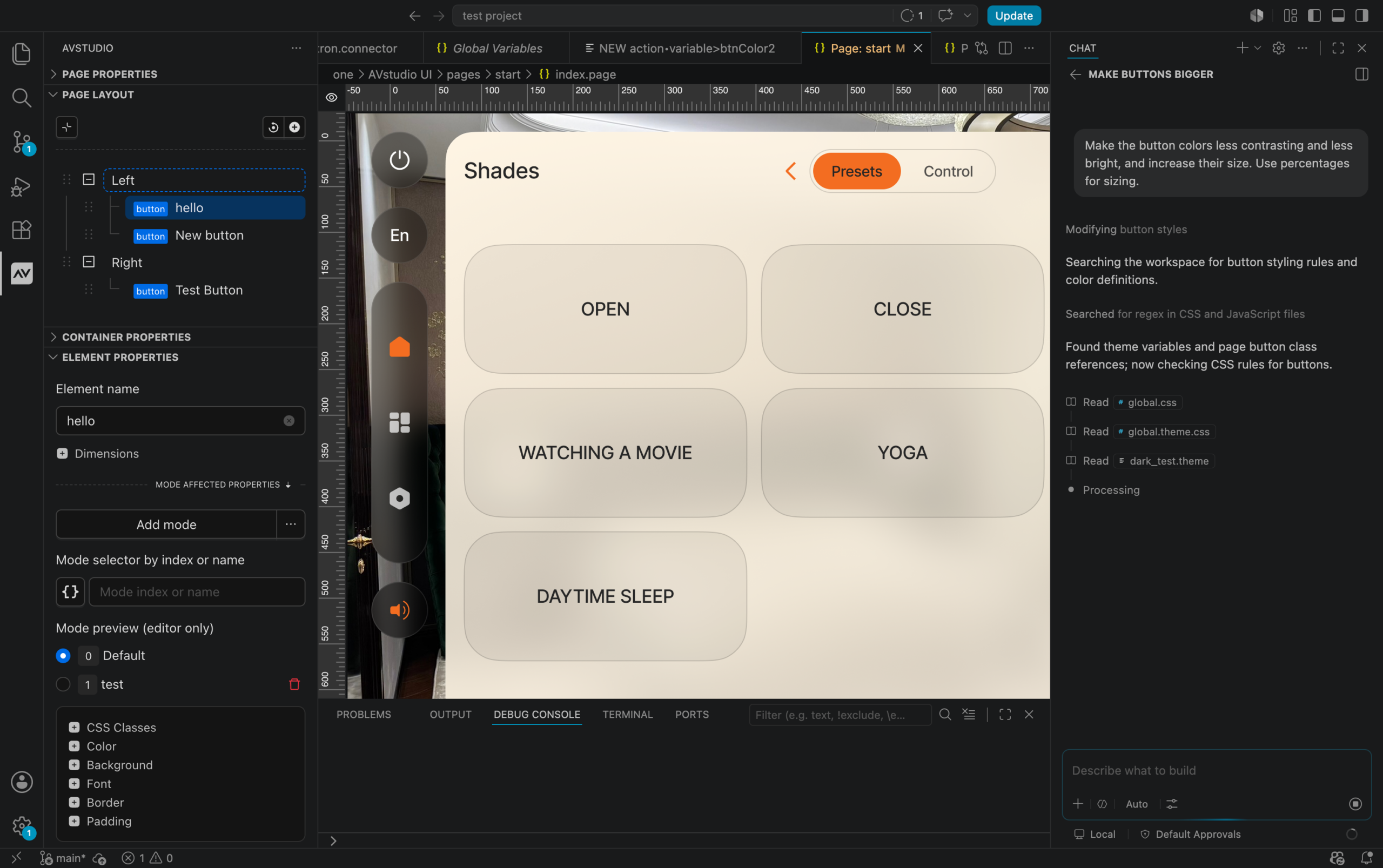
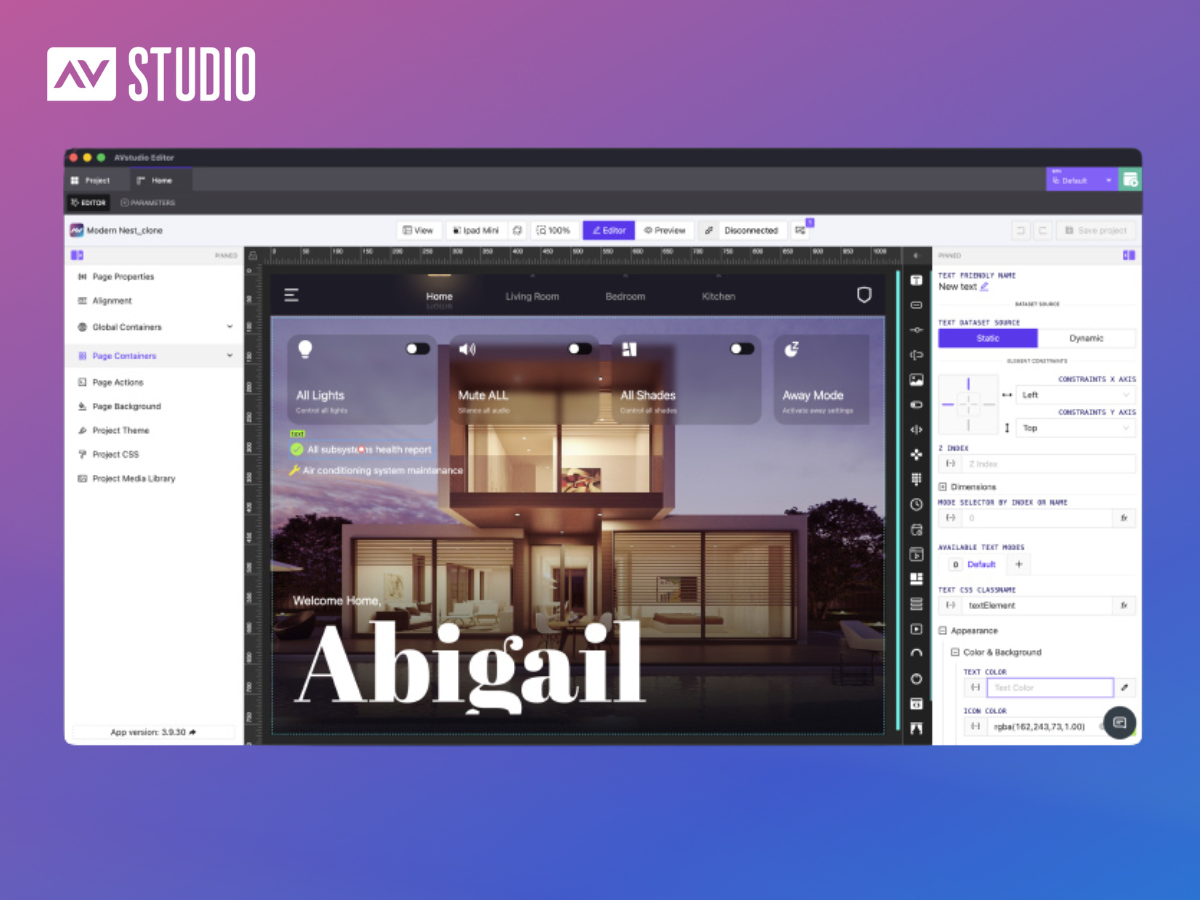
    AVstudio Editor provides developers with a modern environment for creating professional HTML5 control interfaces while simplifying many aspects of development. 

    You are free to build without being tied to a single hardware ecosystem, certification program, or manufacturer. That means your projects stay under your control, giving you the flexibility to work across different systems, support a wider range of clients, and adapt as technology evolves.

    Here are a few reasons developers are making the switch:

    • True WYSIWYG – Build in Real Time: Design and test simultaneously with Live Preview. Make changes instantly without compile-and-deploy cycles. Stay connected to a real control processor to send commands and receive live feedback. 
    • Work Across Multiple Systems: Build across multiple control systems and protocols without being locked into a single ecosystem.
    • Handle Logic Inside the UI: Manage variables, events, and advanced interactions directly inside the interface.
    • Build Independently: No control system required. Run interfaces independently and connect directly through WebSocket, MQTT, HTTP, REST API, and more.
    • Scale Faster with Reuse: Reuse UI components, layouts, and logic across projects to speed up development and maintain consistency.

    For professionals seeking greater flexibility and fewer constraints, AVstudio Editor offers a modern approach to traditional, industry-standard UI development.

    Get Started Faster with Free Onboarding Sessions

    We highly encourage all new users to schedule a free onboarding session at the start of their trial.

    During this session, our team will walk you through the platform, answer questions, share best practices, and help you get up and running faster so you can make the most of your trial.

    And if you need support beyond onboarding, we offer multiple ways to receive additional help.

    Helpful Resources:

    Book an Onboarding Session: [Link]

    Watch Tutorials: [Link]

    Join Our Discord: [Link] 

    Visit the Community Portal: [Link]

    Contact Support: [Link]

    Start Your Free Trial Today

    Your free trial is the first step to accessing the full AVstudio Editor experience.

    To get started, simply open the Editor, create your account, and subscribe to the Professional Plan to begin your free 2-week trial.

    We recommend scheduling your onboarding session early so you can get familiar with the platform and make the most of your trial.

    Launch the Editor: [Link]

    Book an Onboarding Session: [Link]

    If you’re ready for a more modern approach to interface development, start your free trial today!

  • New Elements Now Available in AVstudio Editor

    New Elements Now Available in AVstudio Editor

    We are happy to introduce two new elements to AVstudio Editor: the Compact Shades Control widget and the State Control element.

    Compact Shades Control

    The Compact Shades Control widget is a more compact and efficient way to control shades in interfaces with limited space.

    Despite its smaller form, this new widget maintains the core function of the original Shades Control element. It supports vertical, horizontal, and dual-shade control modes, allowing developers to choose the configuration that best fits their project. Shades Control can now be fit into tighter spaces on the UI, allowing even more customization in design layout and flow.

    State Control

    The State Control element consolidates multiple true/false state controls into a single configurable component. Users can easily change its display to a checkbox, switch, or toggle, depending on preference.

    The element is also highly customizable, allowing developers to adjust its styling, colors, borders, and other visual properties to match their interface’s design.

    Together, these new elements expand the range of tools available in AVstudio Editor, helping developers create more efficient and unique interfaces.

  • Version 3.9.12: MQTT Connectivity, Bug Fixes, and more

    Version 3.9.12: MQTT Connectivity, Bug Fixes, and more

    AVstudio is proud to introduce one of our most powerful updates yet. Version 3.9.12 brings full MQTT connector support, enabling developers and integrators to build interfaces that communicate in real time across devices, control systems, and automation environments.

    This update not only expands what AVstudio Editor can connect to, but also the capabilities of projects created in the editor. Data can move fast and seamlessly between your UI and the systems it manages like never before.

    Full MQTT Protocol Support

    We’ve added complete support for the MQTT protocol, allowing you to:

    • Connect to multiple hosts and ports
    • Use secure (SSL/TLS) connections
    • Authenticate with login and password
    • Modify the PATH for total configuration control

    Whether you’re building local prototypes or deploying enterprise-grade automation, AVstudio gives you everything needed to fine-tune your MQTT setup for stability and flexibility.

    Dynamic Data Through MQTT Data sources

    With MQTT connectors, your AVstudio data sources can now be dynamically updated with live data. By linking to a specific topic, data inside your interface can be continuously synchronized.

    To streamline your development workflow, we’ve also introduced a Mixed DataSource Type. By combining local data with MQTT feedback, you can maintain a solid local copy of the data, enabling you to prototype your interface seamlessly. 

    Once you switch to production mode, the data will be updated in real time via the MQTT channel. This means no more waiting for data to arrive. You can build, preview, and deploy with uninterrupted speed.

    MQTT for Variables and Parameters

    We’ve expanded the functionality of variable and parameter updates through MQTT Feedback. By assigning the correct connector and topic, any variable or parameter in your project can receive live updates. This enables precise control of the interface and its elements.

    Connect to Node-RED, Home Assistant, and More

    AVstudio now connects to Node-RED, Home Assistant, and other systems over the MQTT Protocol. It only takes two clicks to establish a connection, making it easier than ever to exchange data between your interface and an automation or control system. This highly efficient solution enables dynamic management of data flows and end devices.

    Bug Fixes and Performance Enhancements

    In addition to MQTT support, this update includes several refinements:

    • Stabilized Mixed DataSources: Fixed issues where local fallbacks for a repair DataSource were not correctly retrieved.
    • Improved Performance: Element selection, positioning, and property adjustments make AVstudio Editor faster, smoother, and more efficient.

    AVstudio Editor Continues To Evolve

    Update 3.9.12 reinforces AVstudio Editor’s powerful features through open, flexible connectivity. With MQTT, Node-RED, and real-time data feedback, your projects can be created faster, smarter, and more precise than ever.

    Click the link below for a short video showcasing how this update enhances the development process: 👇

    [AVstudio Editor + MQTT + Node-RED | Live Conference Room UI in HTML5]

    Start creating with AVstudio Editor today.

  • Version 3.9.0: Color picker, Round slider and more.

    Version 3.9.0: Color picker, Round slider and more.

    New Round Slider Element

    We are pleased to introduce our new Round Slider. It features outstanding responsiveness and can seamlessly fit into any environment. It can be adapted both in height and width simultaneously. All content within the slider also automatically adjusts to the element’s size by default, which is highly convenient.

    Taking into account your feedback and our previous experience with the earlier version of the slider (Circle Slider One), the internal content is now presented as a standard text field. This allows you to freely arrange the necessary content across any number of lines and format it exactly as you wish.

    Extremely responsive slider

    A rich set of options allows you to style your slider and achieve completely different results that seamlessly fit into your design concept.

    In this example, no custom styles were applied – only the basic element option was used.

    A universal approach to defining the list of element options.

    Due to the growing number of elements and their settings, it became necessary to standardize all properties in a consistent style across all elements. We carried out extensive work to group the properties in a clear and convenient way. For now, these properties will only be available in this form for the new elements introduced with this update. In the near future, we will gradually update the properties of all existing elements to bring them into full consistency.

    Appearance, content, action, and state now standard sections.

    Element state management.

    For new elements, we’ve made element state storage and usage universal. It can be stored and retrieved from any dynamic source: data sources, parameters, global variables, data received via WebSocket or HTTP requests. The Crestron option remains available. In the future, we’ll upgrade all elements so they can store, retrieve, and send state through any channels, not just Crestron.

    New Color Picker Element

    It’s time to introduce the new ColorPicker element. It allows you to add any RGB color range.It can store its state with any dynamic data; similar to RoundSlider, it is fully responsive and can adapt to any parent width and height.

    Auth improved

    We’ve improved the authorization system. Now you can log in not only using the Email and Password combination, but also via the Google platform. In the near future, we’ll add several more convenient authentication methods.

    Bug fixes and improvements

    • Parameter handling has become much more stable. We fixed issues with boolean parameters, as well as some update and dynamic calculation errors.
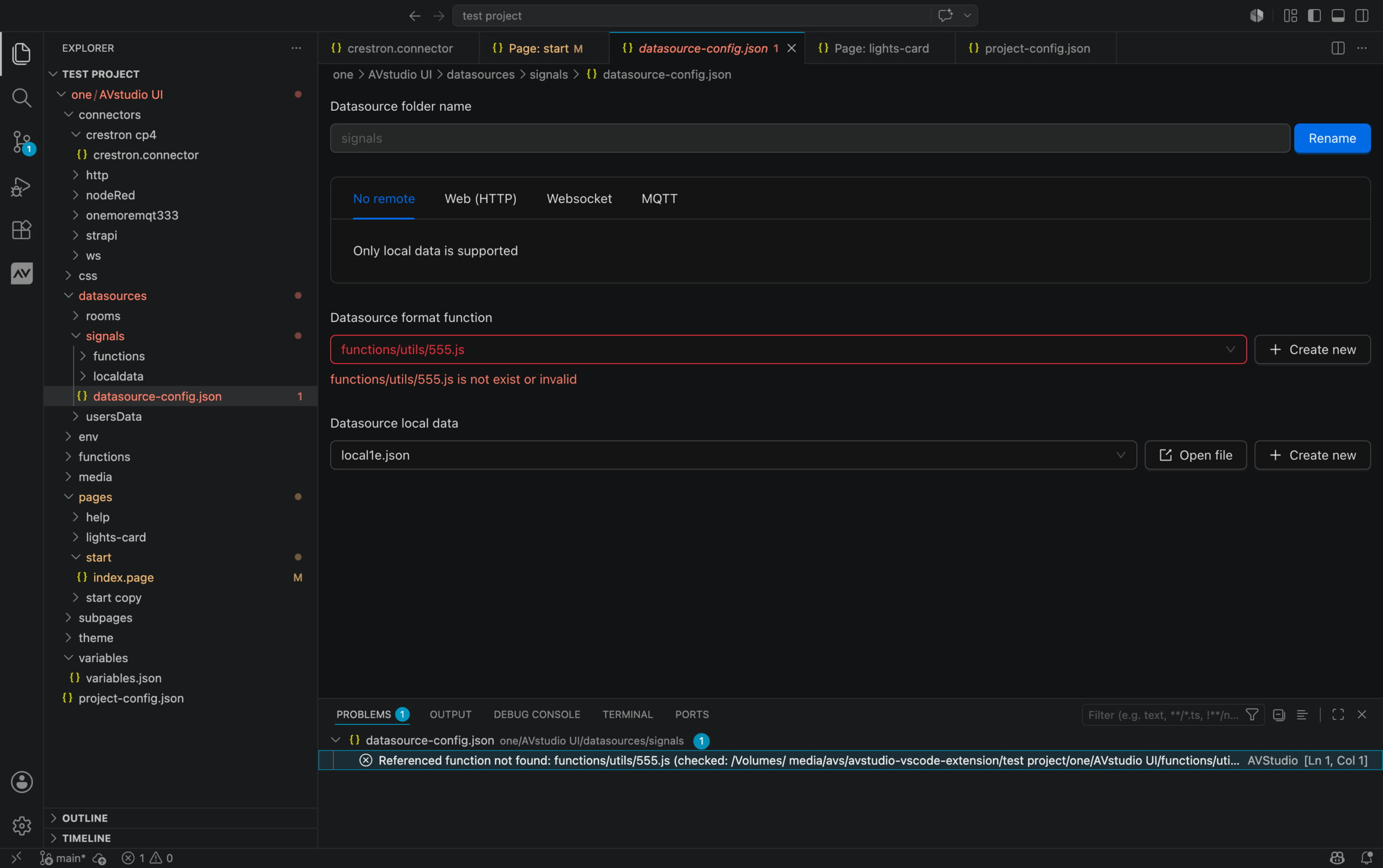
    • When creating a data source, errors could occur during test data retrieval, test function applications, etc. All these issues have been fixed.
    • Color selection in some element layers could be slow. We’ve improved its performance in the following object and will continue working to make this process even more convenient and faster.
    • And various other minor fixes and improvements.

  • What’s new in AVStudio GUI Editor | Version 3.4.0 | Premium Widgets | Web Connectors

    What’s new in AVStudio GUI Editor | Version 3.4.0 | Premium Widgets | Web Connectors

    AVStudio HTML5 GUI Editor Updates Version 3.4.0 | New features for Crestron Control System GUIs

    At AVgator Inc., we are committed to evolving our AVStudio HTML5 GUI Editor to empower system integrators with faster, smarter, and more flexible tools. Our recent updates — versions 3.4.0 through 3.4.2 — bring exciting new features and capabilities that help Crestron HTML5 GUI developers deliver exceptional, customized control system user interfaces.

    Premium Widgets for a One-Click Integration

    NEW

    With version 3.4.0, we launched the Autonomic Premium Widget — AVStudio’s first widget designed for one-click integration within your Control System Custom GUI project.

    This new AVStudio HTML5 GUI Editor feature is developed to accelerate your Crestron Control System GUI design. Simply drag and drop the widget, enter the IP address, and you instantly get a sleek, fully responsive media player interface ready to use. No complicated setup — just rapid deployment that saves time and impresses clients.

    Key features include:

    • Only the IP field is required to get started
    • Fully responsive design that fits any space
    • Comprehensive support for the Autonomic API:
      • Full transport control (Play, Pause, Skip, etc.)
      • Real-time metadata display (album art, track info, artist name)
      • Volume control
      • Player selection
      • Seamless integration with Crestron, Global Caché, and other AV control systems
    Autonomic Premium Widget in AVStudio Crestron and Control system HTML5 GUI Editor

    Browsing Feature within the Autonomic Premium Widget in AVStudio HTML5 GUI Editor for Crestron and Control System GUIs

    This launch marks the start of our vision to develop a diverse portfolio of premium widgets supporting one-click integration with multiple hardware and software platforms. These widgets will be tailored for residential, corporate, hospitality, and education use cases.

    We are committed to making AVStudio the go-to Crestron HTML5 GUI Editor for seamless, drag-and-drop integrations across all environments.

    Web Connectors to add IP-controlled devices

    NEW

    In addition to the existing Crestron Connectors, which enable fast development and testing of Crestron HTML5 GUIs within AVStudio, this new release introduces new Web Connectors. These empower you to integrate and control a wide range of other IP-based devices and control systems within the AVStudio HTML5 GUI Editor.

    Managing HTTP resources in your AVStudio GUI projects is now easier with the new Web Connectors feature. Accessible from your project’s global settings, Web Connectors let you centrally store and manage data properties used across your HTTP actions, making edits faster and your Custom GUI Editor projects more consistent.

    Set up Web Connectors in the Project Settings within AVStudio HTML5 GUI Editor

    Web Connectors setup in AVStudio GUI Editor

    The New Web Connectors feature extends your GUI project capabilities far beyond standard Crestron hardware and makes AVStudio the go-to GUI Editor for system integrators working across AMX, Control4, Extron, Global Cache, and other various control systems and devices.

    WebSocket connectors are currently under development and will soon complement the existing Web Connectors. This new functionality will enhance the handling of real-time data streams and support remote data sources, expanding your options for dynamic and responsive integrations in future AVstudio updates.

    Redesigned Manage Actions Layout

    NEW

    To streamline your workflow, we redesigned the Manage Actions interface in the HTML5 GUI Editor to occupy almost the full screen and group actions thematically. This reorganization helps you quickly find and manage the actions you need, keeping your focus on building powerful GUIs without unnecessary distractions.

    Workflow Improvements

    BUGFIX

    Between updates 3.4.1 and 3.4.2, we delivered key fixes and enhancements to make your control system GUI design experience within AVStudio more stable and smooth:

    • Fixed issues with attaching dynamic page names in route actions
    • Improved stability of routing-back operations
    • Introduced the new Editor Connection Manager for better connection handling inside the editor
    • Several minor improvements and bug fixes for overall performance

    Fixed issues with attaching dynamic page names in route actions

    Improved stability of routing-back operations

    Introduced the new Editor Connection Manager for better connection handling inside the editor

    Several minor improvements and bug fixes for overall performance

    Explore these new features and enhancements in the AVstudio HTML5 GUI Editor for your projects completely free and accessible anytime at avstudio.app. Registration is quick and simple, so you can start building without delay.

    Interested in early access to new features, direct communication with our developers, and opportunities to influence the future of Control System GUI design? Join our growing community of beta testers! Apply now to become a beta tester or contact us directly to learn more.

    AVgator showcasing its latest AVstudio HTML5 GUI Editor updates at Infocomm 2025 in Orlando

  • AVgator and Autonomic Launch One-Click Media Player Integration Widget for Custom Control System GUIs and Announce Integration Partnership.

    AVgator and Autonomic Launch One-Click Media Player Integration Widget for Custom Control System GUIs and Announce Integration Partnership.

    FOR IMMEDIATE RELEASE

    Waxhaw, NC and Armonk, NY – June 2, 2025 — AVgator® Inc., developer of AVstudio, a premium HTML5 GUI editor tool for control systems, and Autonomic, a leader in professional-grade multi-room audio solutions, are proud to announce the launch of seamless integration between AVstudio and the Autonomic Mirage Media Controller.

    This new integration allows Control System GUI designers to add a fully functional Autonomic media control interface to their GUIs with a single click – no coding, manual binding, or API knowledge required. It is ideal for integrators who want to deliver high-end functionality and customization without deep programming knowledge.

    AVgator and Autonomic announce strategic partnership and responsive widget release.

    Key Benefits Include:

    • One-Click Widget Deployment– Add full media player functionality (volume, zone selection, source control, now playing, album art) instantly into your GUI layout.
    • Fully Responsive UI– The Autonomic widget automatically adapts to tablets, touch panels, mobile devices, or web browsers.
    • Real-Time Two-Way Communication– Autonomic’s status updates (track title, artist, artwork) are reflected instantly in the UI, offering a polished and professional experience for end users.
    • No Firmware or API Maintenance– AVStudio maintains the integration, ensuring long-term compatibility and ease of use for installers.

    “We’re excited to bring this intuitive integration to the AV community,” said Vadim Chekirka, Founder & CEO at AVgator, Inc. “AVStudio was built by integrators, for integrators — and this collaboration with Autonomic adds real value to the everyday workflow of control system UI developers.”

    “The AVstudio HTML5 GUI editor integration is a smart addition for Autonomic users,” said Michael de Nigris, CEO at Autonomic. “It’s a perfect example of how we continue expanding our ecosystem while keeping ease of use and system performance at the forefront.”

    The new Autonomic integration is now live and ready to explore at AVstudio.app (you will be asked to log in or register). Installers can try the one-click widget firsthand, build fully customized GUIs with no coding required, and see how easily Autonomic media control can be deployed across touchscreens, mobile devices, and web interfaces — all within minutes.

    The AVstudio integration with Autonomic will be on display at InfoComm 2025, Booth #3391. Register at https://www.infocommshow.org/ using VIP Code: AVG485 to get a free Exhibit hall pass.

    About AVstudio HTML5 GUI Editor

    AVstudio is a code-free HTML5 GUI builder for professional control systems. Built by Crestron Certified Service Providers, it allows integrators to design and deploy responsive, fully customized interfaces with drag-and-drop simplicity. From corporate to residential and hospitality environments, AVstudio streamlines GUI development. Create and test your GUI as much as you need for free — pay only per project at deployment across unlimited touchscreens, mobile, and web. Try building your customizable GUI at avstudio.app.

    About Autonomic Controls, Inc.

    Founded in 2006 when digital music was in its infancy, the company was founded with the goal to bridge users’ digital libraries with the high-end control systems used by custom integrators. They were the first company to enable the native browsing and playback of DRM-protected iTunes libraries without the need for an iPod dock. In 2009, they released the world’s first cloud-connected music server, the MMS-5. Over the years they have further refined their product line and technology before being acquired by SnapAV (now SnapOne) in 2016. In May of 2020, co-founder Michael de Nigris reacquired the company along with a core group of original employees. With a renewed passion, Autonomic continues to be the leading innovator of digital media solutions for integrators and manufacturers in the custom electronics industry.

    For more information visit Autonomic.biz.

    AVgator Inc invites you to booth #3391 at Infocomm 2025 in Orlando June 11-13

  • Act Fast! Pricing Changes 💸 Don’t Pull a Bitcoin Pizza 🍕

    Act Fast! Pricing Changes 💸 Don’t Pull a Bitcoin Pizza 🍕

    Are you currently working on a GUI project in AVstudio? The clock is ticking — and you don’t want to miss out!

    Important news: Pricing for AVstudio HTML5 GUI builds will change right after InfoComm 2025 — and you can lock in the current rate for life if you act fast.

    With its intuitive interface and no coding required, AVstudio helps you design custom GUIs for Crestron control systems faster and easier than ever — taking your projects to the next level.

    As we think about this change, let’s take a moment to revisit the now-legendary Bitcoin Pizza Day — when someone spent 10,000 BTC on two pizzas exactly 15 years ago, on May 22, 2010.

    That single transaction is now worth $1.1 trillion. It’s a timeless reminder: in tech, timing is everything. Don’t let your creative journey mirror that infamous mistake.

    Why This Price Change Matters

    Starting June 14, 2025, AVstudio’s pricing model will be updated. This is your chance to lock in the current rate for life — and gain a long-term edge on every future project.

    AVstudio isn’t just another GUI builder. Whether you’re developing interfaces for a luxury residence, superyacht, smart home, or corporate HQ, AVstudio offers unmatched versatility. Built on rich HTML5 functionality, it empowers you to create stunning, high-performance designs that reflect your client’s unique style — and your creativity.

    Close-up view of an innovative GUI design on a user's screen

    AVstudio.app Interface example – HTML5 GUI Editor.

    What’s in It for You?

    Let’s talk about what AVstudio brings to your workflow. It’s a powerful HTML5 GUI editor built by and for system integrators — no need to write code or master new tools. With its drag-and-drop interface, real-time preview, and widget library, AVstudio makes it easy to build professional, responsive user interfaces for Crestron and other control systems.

    You can design once and deploy across multiple platforms — touch screens, tablets, or web browsers — all while using your client’s branding and layout preferences.

    With the upcoming price change, now is the perfect time to see what AVstudio can do for your projects. You can fully design and preview your GUI for free before making a purchase.

    Don’t miss your chance to streamline your process and impress your clients — get started today at AVstudio HTML5 GUI Editor.

    AVstudio - Powerful HTML5 GUI Editor for Crstron and other control systems.

    AVstudio – Powerful HTML5 GUI Editor for Crestron and other control systems.

    Time to Take Action

    Consider the risk: just like someone still cringing over their Bitcoin pizza every time the crypto market spikes, you might look back and regret missing the chance to invest in your growth.

    The boost in productivity, creative freedom, and monetization opportunities AVstudio.app offers is simply too valuable to ignore.

    Now is the time to act. With upcoming changes to AVstudio pricing, you have the perfect moment to lock in lifetime access at the current rate — and unlock a powerful, user-friendly design framework in the process. To secure your price lock, just make a GUI build purchase before InfoComm 2025 wraps up.

    Head over to the “How to Buy” section and follow the simple steps.

    Don’t let this become your own “Bitcoin pizza” moment. Invest in your Smart GUI Editor today.

  • Unlocking Smarter Security: DoorBird and AVstudio Integration

    Unlocking Smarter Security: DoorBird and AVstudio Integration

    In the realm of smart security and audiovisual control, two standout solutions – DoorBird and AVstudio – come together to create a seamless, powerful experience. DoorBird, crafted by Bird Home Automation GmbH, brings cutting-edge IP video intercoms to your doorstep, while AVstudio, developed by AVgator Inc., offers a robust platform to manage it all.

    In this blog post, we’ll explore how these two innovations pair up, with insights from our DoorBird Integration Guide, and why this combo is a must-have for homes and businesses alike.

    Meet DoorBird: The Intercom Innovator

    Hailing from Germany, Bird Home Automation GmbH has redefined door communication with DoorBird. These aren’t your average doorbells – they’re IP video door stations packed with features:

    • Crystal-clear video and two-way audio to see and speak with visitors.
    • Remote access via the DoorBird app, letting you manage your door from anywhere.
    • Smart integrations with platforms like Crestron, Control4, and, of course, AVstudio.

    Whether you’re screening deliveries at home or managing access for a multi-tenant building, DoorBird delivers security with style and sophistication.

    Enter AVstudio: The Control Mastermind

    On the software side, AVgator Inc., a Crestron Service Provider, brings us AVstudio – a game-changing platform for AV and smart system integration. AVstudio (accessible at avstudio.app) empowers users to:

    • Design custom interfaces with drag-and-drop ease.
    • Control a range of devices – like DoorBird intercoms – from one hub.
    • Automate workflows for a smarter, more efficient setup.

    Think of AVstudio as the brain that ties your tech together, making it ideal for integrators and end-users who want total control without the complexity.

    The Power of Integration

    So, what happens when DoorBird and AVstudio join forces? You get a security and control solution that’s greater than the sum of its parts. Our DoorBird Integration Guide walks you through the process, highlighting:

    • Simple Setup: Connect your DoorBird device to AVstudio in just a few steps.
    • Unified Control: View live feeds, talk to visitors, and unlock doors—all from AVstudio’s interface.
    • Tailored Experience: Customize the system for a single home or a sprawling commercial space.
    • Reliability: Pair DoorBird’s top-tier hardware with AVstudio’s intuitive software for a setup you can trust.

    This integration isn’t just about convenience—it’s about elevating how you interact with your space.

    Why It’s a Game-Changer

    Imagine this: A visitor rings your DoorBird intercom. You check the video feed on your phone via UI created in AVstudio, confirm it’s your guest, and unlock the door – all without leaving your couch or your office halfway across town.

    For businesses, it’s even more powerful: manage multiple entrances, automate access, and keep everything in sync with your AV systems. It’s smart security, simplified.

    Get Started Today

    Ready to bring this dynamic duo to your doorstep? Dive into the full DoorBird Integration Guide in the AVstudio Knowledge Base. You’ll find everything you need – step-by-step instructions, tips, and best practices – to make the most of DoorBird and AVstudio.

    Whether you’re a tech-savvy homeowner or a professional integrator, this integration is your ticket to a smarter, safer environment.

    Final Thoughts

    Bird Home Automation GmbH and AVgator Inc. have each brought something special to the table with DoorBird and AVstudio. Together, they’re transforming how we secure and manage our spaces.

    Visit doorbird.com to explore the hardware, and check out avstudio.app for the software that ties it all together.

    Let us know how this integration works for you—we’d love to hear your story!

  • AVstudio Version 3.0 is Here!

    AVstudio Version 3.0 is Here!

    AVstudio Version 3.0 is Here!

    We are excited to announce that AVstudio Version 3.0 is now available! This release brings a host of improvements, new features, and refinements to enhance your experience.

    AVstudio Version 3.0

    Performance Improvements

    Performance has been significantly improved, enhancing:

    • Page speed
    • Element rendering
    • Internal function execution
    • Data processing

    Depending on the project structure, performance gains are estimated to range from 100% to 500%, delivering a noticeably smoother and faster user experience.

    Extended Parameters Logic

    We have expanded the logic and methods for handling parameters, making them more versatile and powerful. Now available for both subpages and regular pages, parameters can be considered local variables within AVstudio.

    Key Features:

    • Available at the page & subpage level
    • Supports passing signal names (join numbers) and setting values from control system feedback
    • Parameter values can be modified using elements or page actions
    • Easily operate with Analog, Digital, or Serial feedback values

    Simple and Efficient Asset Caching

    We have optimized static asset caching to ensure that content loads at maximum speed while maintaining a visually polished appearance. By utilizing the latest web development standards, AVstudio now handles static assets more efficiently than ever before.

    New LIVE Mode Mechanics

    Our redesigned Live mode brings significant improvements in data handling:

    • Data loading and updates are now 3x faster
    • Minimal failures in data retrieval or updates
    • Exceptional speed and stability

    Enjoy real-time interaction with improved reliability!

    Over 300 New Features and Fixes

    This release introduces over 300 new features, enhancements, and fixes to improve functionality and stability. Here are some highlights:

    New Features:

    • Optimized slider speed
    • Improved default button active styles
    • Enhanced text field rendering for dynamic content
    • Improved overlay performance
    • Added version history and update info
    • Reduced build size for better efficiency
    • Enabled text location customization in checkbox elements
    • Introduced .AVIF image format support

    Fixes and Enhancements:

    • Resolved text cutoff issues in Text elements
    • Improved handling of initial Datasource loading variables
    • Fixed dynamic action fields accepting incorrect values
    • Stabilized element visibility properties
    • Resolved arrow keyboard navigation issues in text fields
    • Corrected overlay loading issues when buttons overlap
    • Improved page flip function to support spaces in page names
    • Fixed automatic closing of editor page tabs

    …and much more!

    Experience AVstudio 3.0 Today

    This version is packed with innovations and improvements, making AVstudiomore powerful and efficient than ever. Upgrade now and take advantage of all the latest features!

    Have questions or feedback? Join the AVstudio community and share your experience!