We are happy to introduce two new elements to AVstudio Editor: the Compact Shades Control widget and the State Control element.
Compact Shades Control
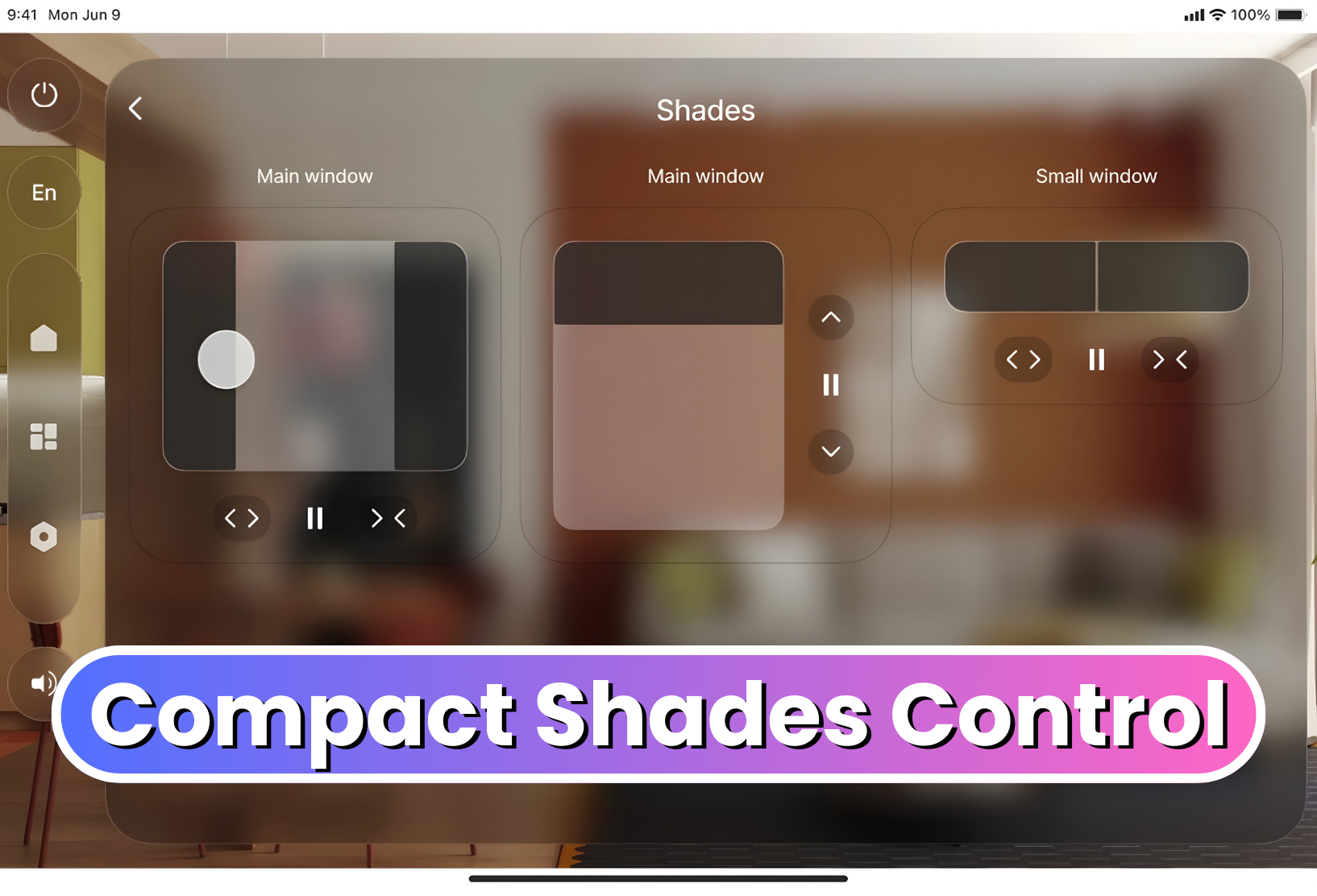
The Compact Shades Control widget is a more compact and efficient way to control shades in interfaces with limited space.
Despite its smaller form, this new widget maintains the core function of the original Shades Control element. It supports vertical, horizontal, and dual-shade control modes, allowing developers to choose the configuration that best fits their project. Shades Control can now be fit into tighter spaces on the UI, allowing even more customization in design layout and flow.
State Control
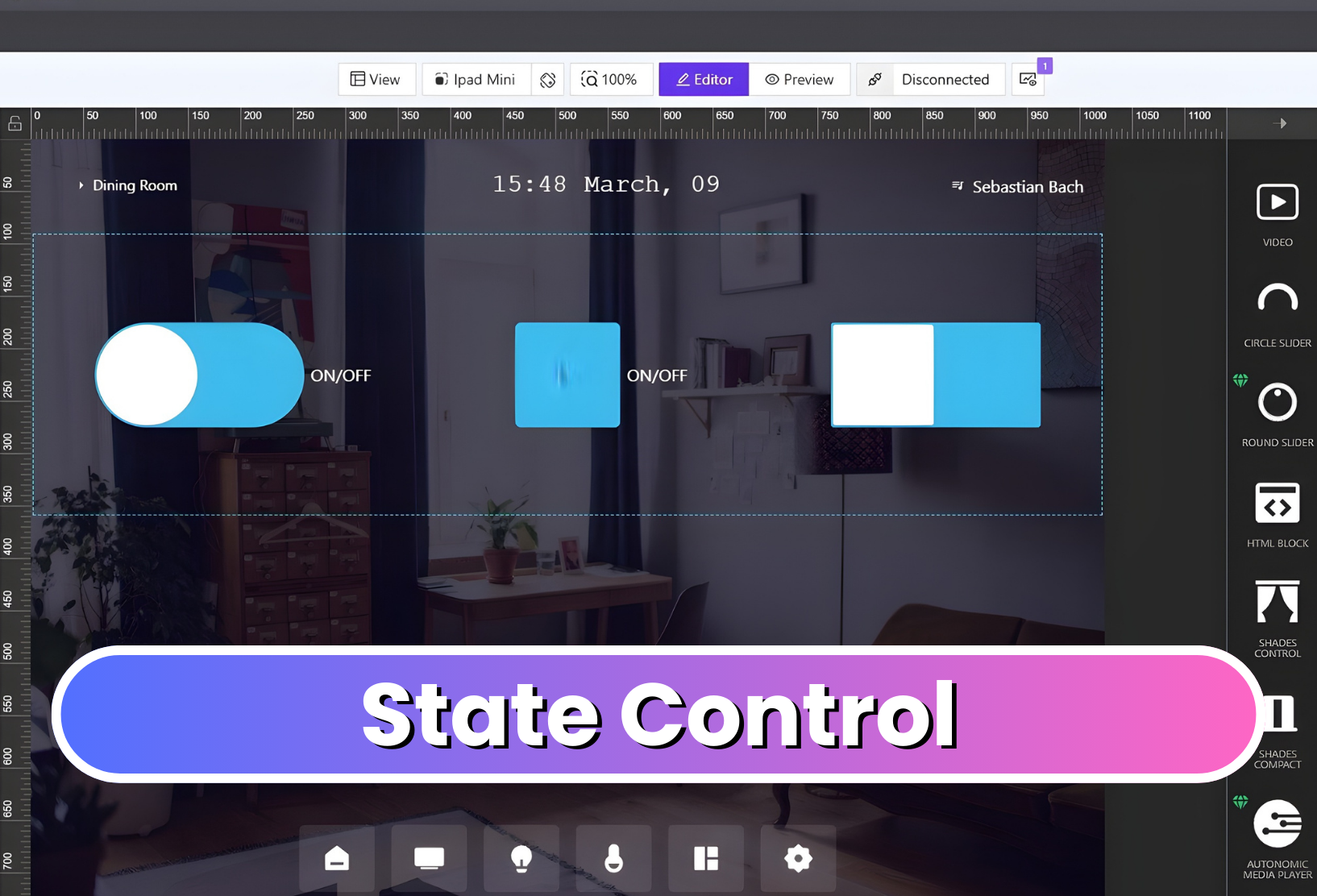
The State Control element consolidates multiple true/false state controls into a single configurable component. Users can easily change its display to a checkbox, switch, or toggle, depending on preference.
The element is also highly customizable, allowing developers to adjust its styling, colors, borders, and other visual properties to match their interface’s design.
Together, these new elements expand the range of tools available in AVstudio Editor, helping developers create more efficient and unique interfaces.
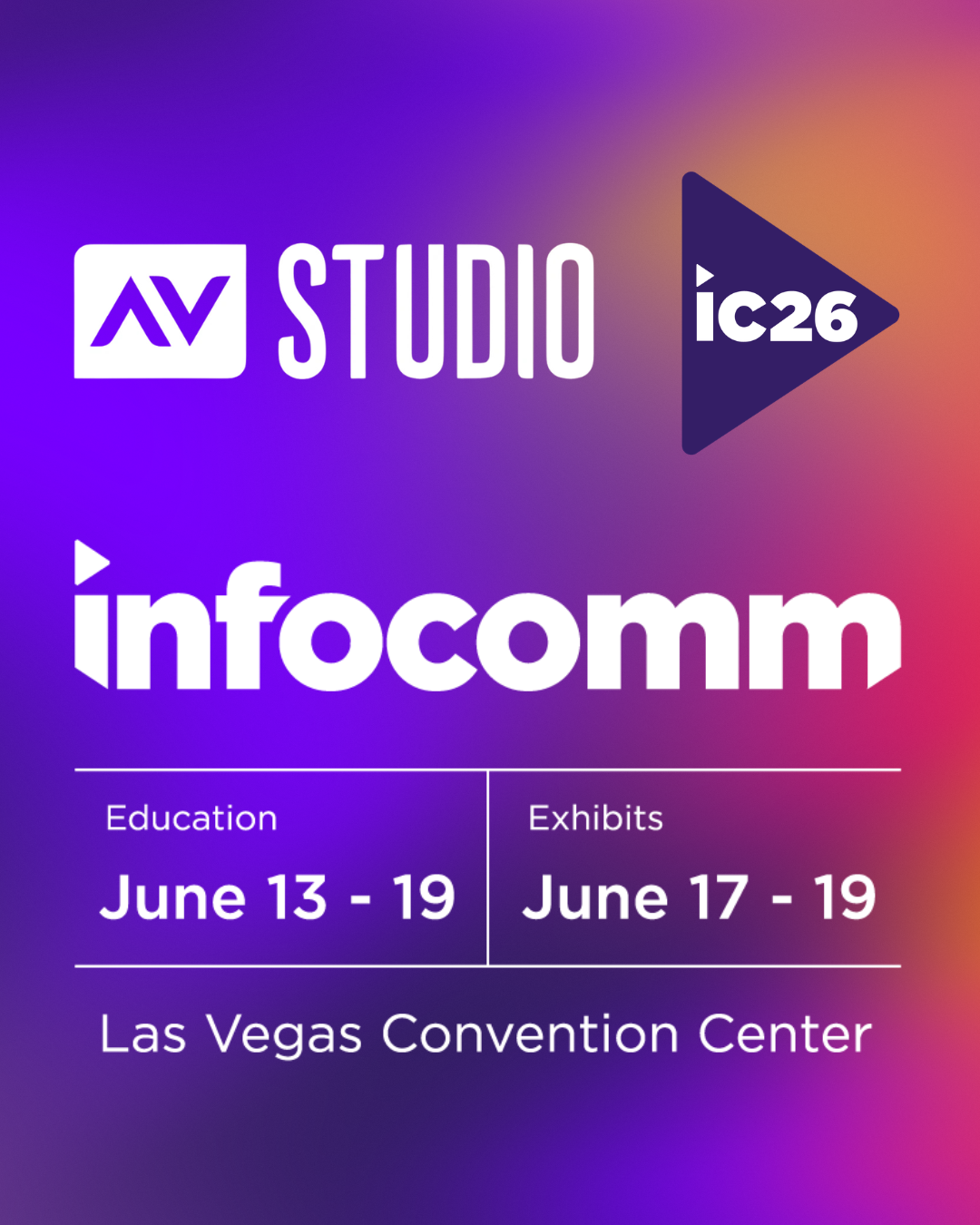
Registration has officially opened for InfoComm 2026 in Las Vegas, and AVstudio invites you to experience our most ambitious showcase yet.
From June 13-19, AVstudio will be located in Central Hall at Booth C5715. Feel free to stop by and talk with the team behind AVstudio Editor. We’ll be highlighting the latest updates, showcasing new templates, and connecting with other AV professionals from around the world.
Over the past year, our team has focused heavily on listening to developers and the challenges they face. These insights have led to major functionality improvements, quality-of-life refinements, and the introduction of highly requested features.
See how these updates translate into real-world applications and help alleviate the pains of typical UI development. Our team will be there to answer questions and show exactly what AVstudio Editor can do.
With registration now open, it’s a great time to secure your spot and begin planning your visit. If you’re attending, be sure to add us to your schedule. We look forward to showing you what we have to offer and receiving your feedback.
We’re offering a FREE exhibit hall pass for those wanting to attend. Upon registration, use promo code: OPEN
The AV and IoT UI industry has been evolving exponentially over the years. As new technologies are developed and refined, integrators and developers need tools that keep pace with changing expectations and increasingly complex system requirements. In the past, AV control interfaces were typically located in one place. Users may have a single touchscreen on a wall to interact with the system. Today, that scenario is becoming less common. More and more, we see cases where an AV system needs to be controlled from a wall-mounted panel, a tablet, a phone, or even a laptop’s browser. Each of these device types is obviously different in size and resolution, yet users expect the experience to feel the same, regardless of how they access it.
This shift in how AV systems are accessed has introduced new challenges for developers. Instead of creating a single design for a fixed device type, they are now expected to create multiple versions of the same HMI so that each component on the screen fits the specific resolution of the device being used.
The issue is that screen sizes change everything. One layout that feels perfectly intuitive for users, visually appealing, and functionally sound on a large touch panel may be completely unusable on something like a smartphone. When interfaces are scaled down or stretched to fit different resolutions, usability often suffers. This quickly degrades the end-user’s experience.
With many of the tools and platforms commonly used today to build user interfaces, the solution has been to create separate interfaces for each device. One might be for a wall panel, another for a phone, and another for a tablet. While this approach can work, it places additional strain on developers and increases development costs. It’s difficult to maintain this solution over time. Even small updates must be repeated across several layouts, increasing the chance that interfaces become out of sync. What starts as a reasonable workaround often turns into a long-term maintenance problem, and users feel the impact through inconsistent experiences.
The core challenge is not simply the number of screens involved, but how interfaces are designed in the first place. Many AV layouts are built as fixed designs, and adapting them to new screen resolutions almost always means starting over from scratch. A more sustainable approach is to design interfaces that can adapt to different screen sizes without requiring complete redesigns. This allows developers to focus on functionality and usability rather than constantly rebuilding layouts.
With AVstudio Editor, this is just one of many common challenges that we were intent on addressing. Our solution is to allow layouts to adapt to available space while keeping the core elements consistent.
From the very beginning, AVstudio Editor was designed with the assumption that any interface built on the platform will need to exist on more than one screen. This is where Adaptive and Responsive page design comes in. These options allow layouts to adapt naturally to screen sizes, but they do so in different ways.
Adaptive pages use an absolute positioning model, where elements are placed using exact coordinates. This gives you very precise control over placement, while still allowing elements to behave predictably across varying screen sizes.
Responsive pages, on the other hand, use layout rules to dynamically scale and reposition elements based on screen size. Instead of manually defining coordinates, you create a single layout and let the system handle how elements are distributed as the resolution changes. This approach significantly reduces layout effort and is often ideal for supporting multiple devices with one design.
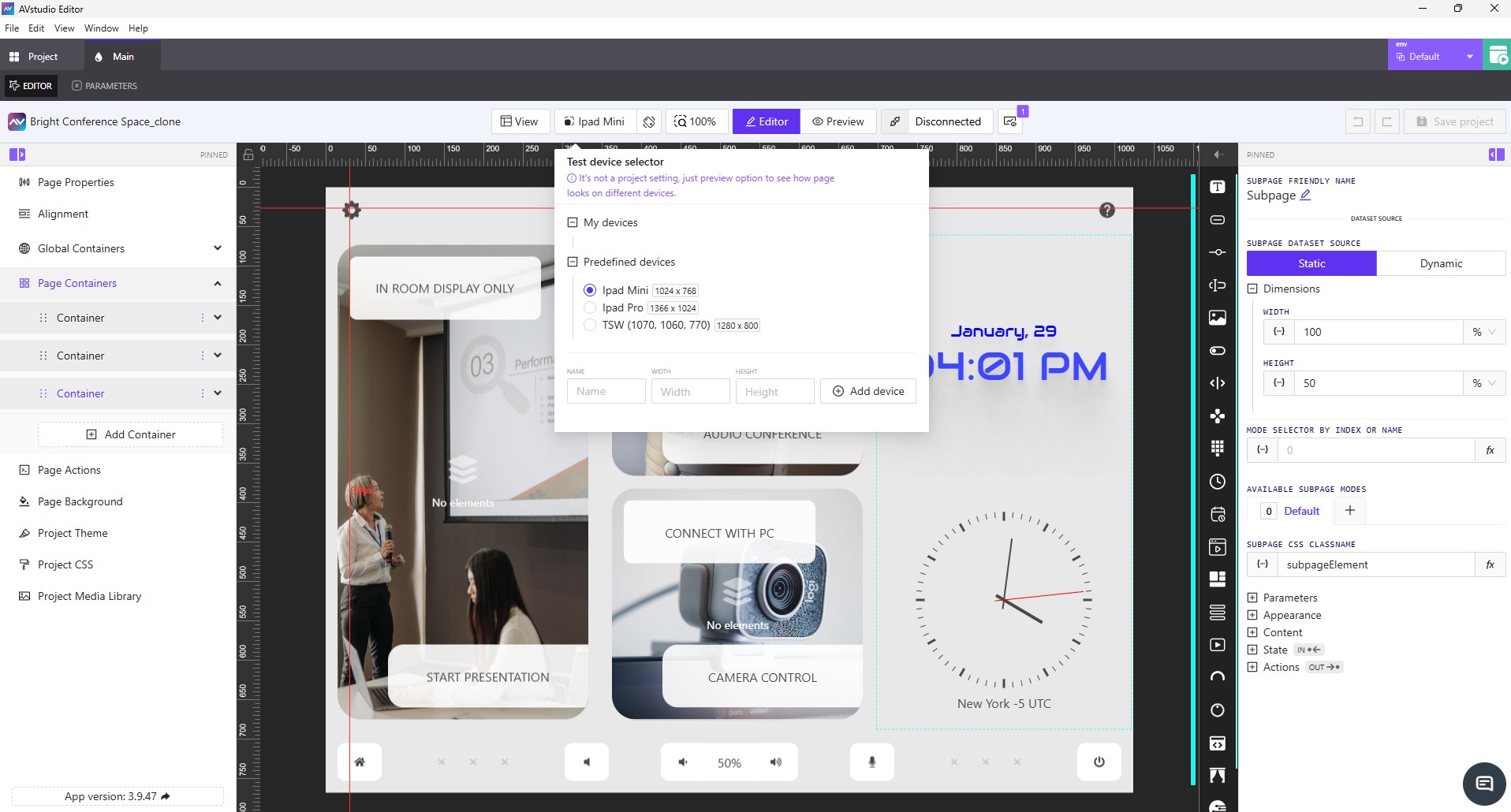
Live preview is another key feature in AVstudio Editor that helps solve this problem. It allows developers to immediately see how an interface looks and behaves across different screen sizes during the design process, without any extra hassle. This makes it easier to make informed decisions early and helps reduce surprises later, such as when an interface is deployed on a device that was not originally considered.
These solutions are not only effective for deploying a UI across multiple devices, but are also incredibly helpful when a project needs to scale beyond its original scope. Adding new elements or pages is straightforward and doesn’t require an overhaul of the original design. Instead, you can simply build on what already exists, making AVstudio Editor ideal for scalability.
Designing HTML5 user interfaces for multiple screen sizes is no longer an exception in the industry. It’s a norm. As user expectations continue to evolve, developers and integrators need tools that offer the necessary flexibility. Traditional UI editors are increasingly struggling to keep up with these demands. AVstudio Editor was built by developers, for developers, to address these challenges directly. By reducing the need for repetitive page duplication and layout maintenance, teams can spend more time creating interfaces that are consistent, flexible, and ready to evolve alongside the industry.
AVstudio Editor is built to support secure and safe system interaction. This ensures a high level of consistency and reliability across all devices. If you’re looking to speed up the design process for HTML5 user interfaces that need to work across multiple screen sizes, AVstudio Editor is worth your time. Try it for free today!
ISE Expo 2026 is almost here, and we’ve partnered with NETIO to deliver something special.
At the event, the NETIO team will use an AVstudio template to demonstrate their products on the show floor. This collaboration showcases how efficient user interface design and reliable power control come together in a real-world environment, elevating the way power distribution devices are controlled and managed.
This showcase highlights several core capabilities, including:
Use any Android or iOS device as a full-featured NETIO control interface
Install cost-effective Android touch panels in racks, IDFs, or IT rooms with no proprietary hardware required
Create one-button custom operating scenarios to trigger power sequences, restarts, and service workflows
Instantly turn NETIO PDU outputs on, off, or restart them for reliable device control
Build fully custom AVstudio interfaces that match your workflow, branding, and project needs
If you’re attending ISE Expo 2026, keep an eye out for the NETIO team and see how AVstudio complements their hardware and brings their solutions to life.
AVstudio is excited to host our next Live Workshop on December 16th at 11:00 AM EST.
What To Expect
Our team will walk through helpful tips and tricks, best practices for building layouts efficiently, and a variety of simple interface examples to help you get started.
Along with these topics, you will have plenty of opportunities to ask questions and get answers from our team. We want this session to reflect what you need most, so your questions will guide much of the conversation. We’re open to anything. If you need help navigating the platform’s features, want to share ideas for improvements, or need advice on structuring a layout, we are ready to dive in and help you move forward with AVstudio Editor.
Upon registering, we encourage you to submit any questions or feedback you may have. This allows us to prepare targeted demonstrations that show precisely how to achieve the results you are looking for. If you do not have questions yet, that is completely fine. Our prepared topics will give you plenty of useful ideas and techniques you can apply right away.
Register Today
Join us for a session designed to help you build faster, design smarter, and get more out of AVstudio Editor.
The demand for modern, responsive and intuitive user interfaces has never been greater. For AV integrators and developers, delivering these experiences often involves navigating through a complex web of programming languages, proprietary ecosystems and time-consuming workflows. This challenge led to the creation of AVstudio Inc., a spinoff of integration firm AVgator Inc., as well as the development of its flagship product, AVstudio Editor.
During a recent conversation with Commercial Integrator, Vadim Chekirka, founder and CEO of AVstudio, provided context on why the company’s HTML5 visual editor emerged and described how it addresses longstanding industry demands.
The Launch of AVstudio Editor
The story of AVstudio Editor begins with a massive integration project completed by AVgator about five years ago. The job encompassed more than 100 rooms and 120 user interfaces, requiring extensive HTML5 coding in the process. This compelled AVgator to bring in web developers to support the AV programming team. The project was a success, but it came at a high cost, consuming about a thousand hours of labor. This led to a crucial realization: A better, more efficient tool was needed to handle the scale of the projects they were taking on, without expecting AV programmers to become web developers in the process.
That experience revealed a gap in the market for an efficient visual editor capable of producing high-quality HTML5 interfaces. AVstudio Editor emerged as the solution, created to streamline UI development for both AV and IoT environments. It’s a tool built by integrators for integrators.
Redefining Flexibility in Systems Integration
AVstudio Editor integrates seamlessly with numerous systems and programming tools. Rather than locking developers into a single ecosystem, the platform is designed to be control-system agnostic. AVstudio Editor supports a wide range of systems, including, but not limited to, AMX, Crestron, Q-SYS and Node-RED for IoT applications. This gives integrators the freedom to choose the hardware that best fits each project.
This approach enables teams to design a single interface and connect it to any control system they prefer, without requiring a redesign. As Chekirka states, “You develop one user interface…one design…and you just select what control system you prefer to have.” End users benefit most from this consistency, allowing a team’s focus to elevate from the underlying technology to the user experience, which is what truly matters.
AVstudio Editor further achieves this through open standards, using web sockets and the MQTT protocol. Ensuring seamless communication across a multitude of devices and platforms, AVstudio Editor is an ideal tool not just for traditional AV but also for the expanding world of industrial IoT.
Reducing Development Time and Costs
In the world of commercial integration, time is money; that’s why speed and efficiency were key focal points for AVstudio when developing their platform. The WYSIWYG [What You See is What You Get] interface and drag-and-drop functionality eliminate the need for tedious line-by-line coding of standard UI elements, significantly reducing development time. According to Chekirka, users can reduce interface-development time by up to 80% as compared to traditional HTML5 development.
This efficiency becomes particularly critical when dealing with last-minute client requests. Instead of rewriting sections of code, developers can adjust components visually, apply rules and see the updates immediately. This is nearly impossible to achieve when working with raw HTML5 code in traditional development environments.
The AVstudio Editor’s live preview feature further accelerates the workflow. Changes are visible in real time, even connecting directly to the control system during the design phase. “[If] you drag the button on the editor, you will see [it] in preview right [away],” Chekirka explains. “You don’t need to recompile [or] load to the touchpanel to see how it looks like.” This immediate feedback loop ensures a polished final product and avoids the frustrating cycle of compiling, deploying and testing. This is considered one of the platform’s most impressive and unique features, providing something that no other vendor on the market can quite match.
An Advanced User Experience
AVstudio Editor empowers integrators and their teams to produce sleek, fast, highly functional interfaces without requiring expert developers. These are the building blocks for premium user experiences and projects that look and feel custom-made. And this is a crucial differentiator for high-end clients who demand unique solutions. Although AVstudio Editor simplifies the design process, it does not limit the power available to advanced programmers. Developers can still inject custom JavaScript, use their own CSS [Cascading Style Sheets] and integrate with remote data sources. “We give advanced programmers the ability to do their own elements, code or scripts,” Chekirka notes.
Moreover, AVstudio is developing an intuitive theme editor that simplifies visual design and that is unlike anything currently on the market. Instead of managing dozens of color variables, users can create a consistent theme in just a few clicks. This feature aims to make professional styling far faster and easier for every skill level.
This balance of simplicity and power makes AVstudio Editor accessible to a wide range of skill levels, suiting everyone from AV technicians to seasoned web developers. The end result is a faster, higher-quality design cycle and clients that are more satisfied.
Introducing App Container: The Offline Deployment Solution
AVstudio is also expanding its ecosystem with App Container, a new mobile application for iOS, Android, Windows and macOS, currently in beta testing. App Container allows developers and end users to run projects in a self-contained, offline environment. This eliminates the need for online-controller hosting, providing a secure and reliable way to deploy and view interfaces on mobile devices.
App Container will include features such as push notifications and the ability to switch between projects, adding another layer of convenience for users. Those interested can download the beta version immediately.
The Future of UI Design and AVstudio Editor
With nearly 900 developers already using the platform, AVstudio Editor has quickly established itself as a leading tool for AV industry professionals. Moreover, AVstudio is itself now a standalone entity, having branched off from AVgator with more than $1 million of capital investment. And with ongoing community feedback, weekly documentation updates and hands-on workshops, the brand’s value proposition is growing even more compelling.
To explore the future of UI development, visit the AVstudio website. You can register for a free account to begin experimenting with AVstudio Editor. You can also subscribe to the newsletter to stay informed about product updates, new features, upcoming workshops and the official launch of App Container.
AVstudio is excited to announce our upcoming live webinar on November 25th at 11:00 AM (EST). This session is designed to give our users a deeper look into what AVstudio Editor can do, while also providing direct access to our team for a live Q&A.
What To Expect
During the webinar, our team will walk through the powerful tools built into AVstudio Editor and demonstrate how they can be used to create fast, flexible, and fully responsive interfaces. You’ll have the opportunity to speak with our developers directly, ask questions, gain clarity on features you’re using, share feedback, and explore ideas for your current or upcoming projects.
This is also a great chance to learn about recent improvements, upcoming updates, and best practices for getting the most out of the platform.
Throughout the session, you’ll gain insights into:
Building dynamic, responsive interfaces using AVstudio Editor
Using Data Sources, Variables, and Connectors in real-world scenarios
Integrations with MQTT, Node-RED, Home Assistant, and other tools
Best practices for ensuring smooth performance across devices
Tips to streamline your design and development workflow
Why You Should Join
As AV and IoT environments continue to evolve, developers need tools that keep pace with modern workflows. AVstudio Editor is built to support this growth, offering a fast, HTML5-driven environment that adapts to projects of any scale.
This webinar will show you why AVstudio Editor is the best platform on the market. If you’re new to AVstudio Editor, this is a great opportunity to learn the basics, ask questions to our team, and provide feedback on how we can better improve our product to fit your needs.
Save Your Spot
Register today to save your spot. You don’t want to miss it. Once registered, we encourage you to let us know which topics you’d most like to discuss so we can tailor the session to your needs.
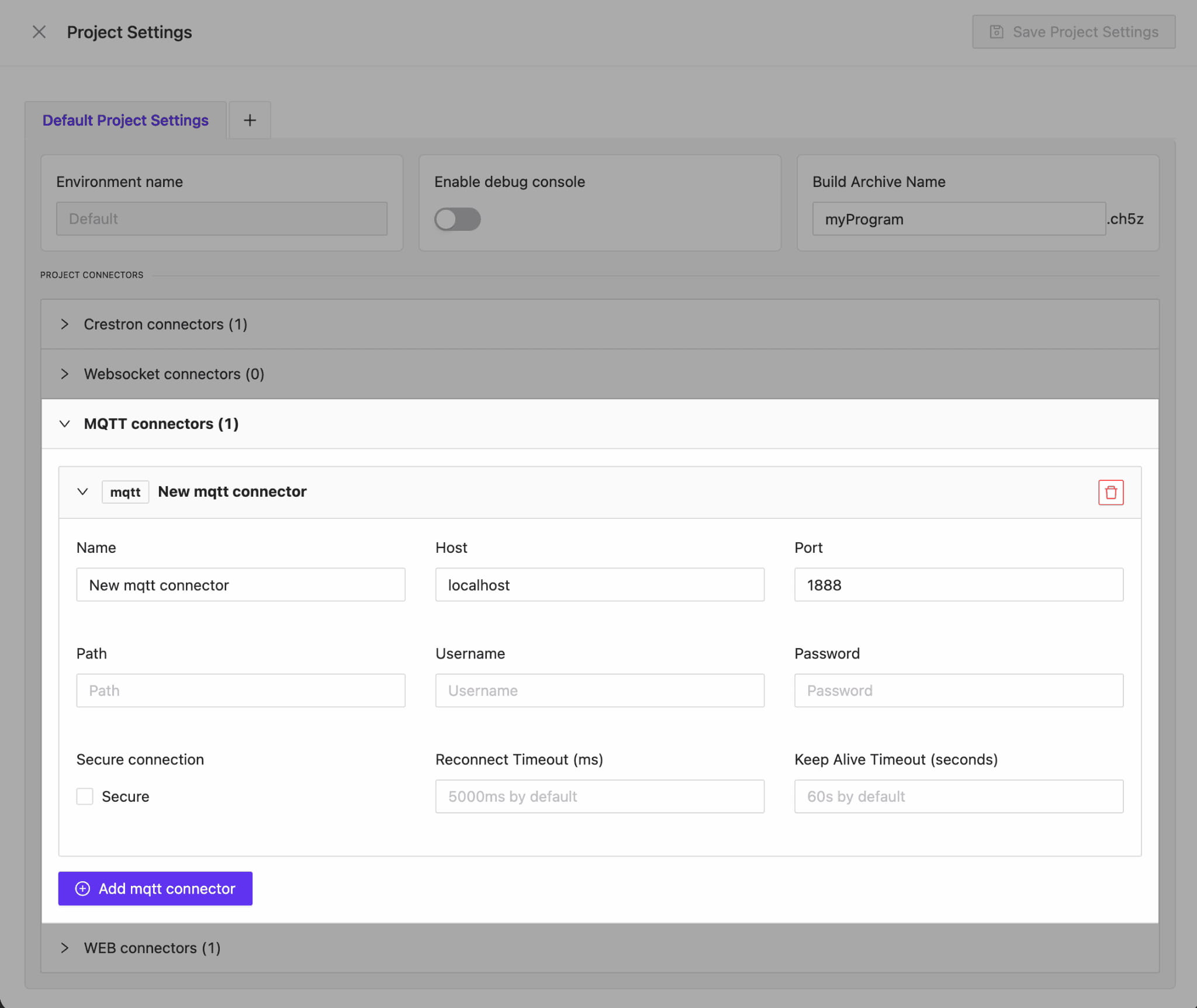
AVstudio is proud to introduce one of our most powerful updates yet. Version 3.9.12 brings full MQTT connector support, enabling developers and integrators to build interfaces that communicate in real time across devices, control systems, and automation environments.
This update not only expands what AVstudio Editor can connect to, but also the capabilities of projects created in the editor. Data can move fast and seamlessly between your UI and the systems it manages like never before.
Full MQTT Protocol Support
We’ve added complete support for the MQTT protocol, allowing you to:
Connect to multiple hosts and ports
Use secure (SSL/TLS) connections
Authenticate with login and password
Modify the PATH for total configuration control
Whether you’re building local prototypes or deploying enterprise-grade automation, AVstudio gives you everything needed to fine-tune your MQTT setup for stability and flexibility.
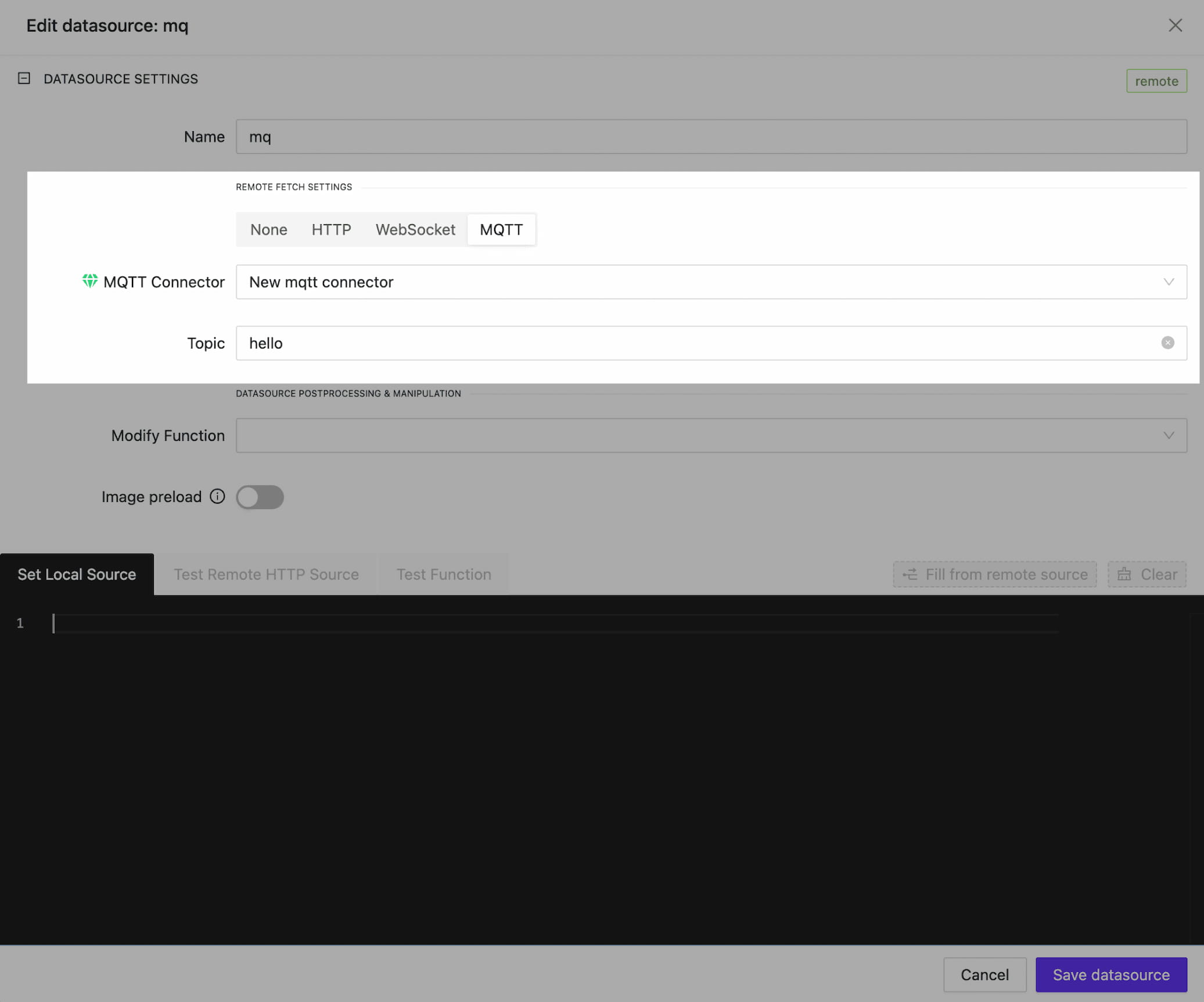
Dynamic Data Through MQTT Data sources
With MQTT connectors, your AVstudio data sources can now be dynamically updated with live data. By linking to a specific topic, data inside your interface can be continuously synchronized.
To streamline your development workflow, we’ve also introduced a Mixed DataSource Type. By combining local data with MQTT feedback, you can maintain a solid local copy of the data, enabling you to prototype your interface seamlessly.
Once you switch to production mode, the data will be updated in real time via the MQTT channel. This means no more waiting for data to arrive. You can build, preview, and deploy with uninterrupted speed.
MQTT for Variables and Parameters
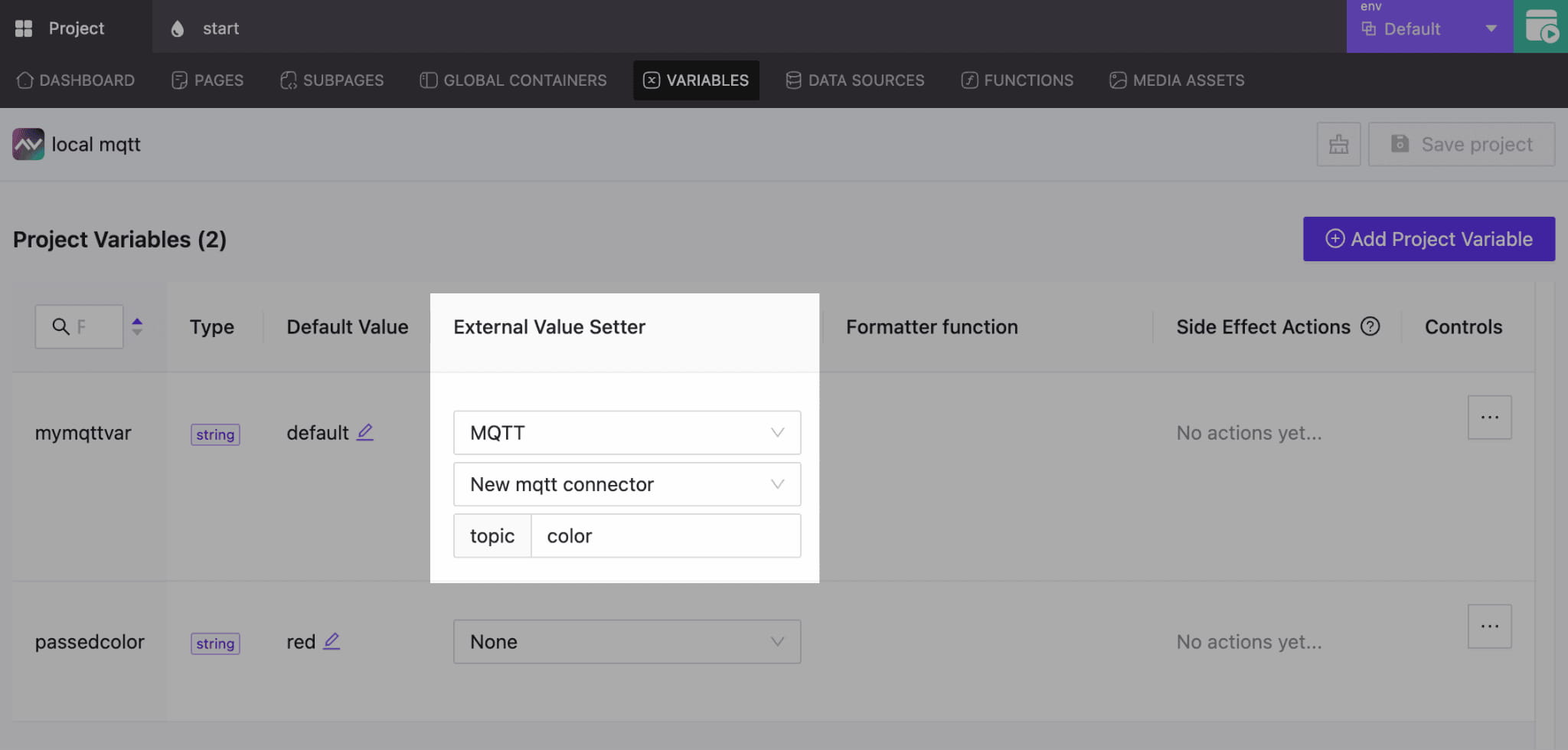
We’ve expanded the functionality of variable and parameter updates through MQTT Feedback. By assigning the correct connector and topic, any variable or parameter in your project can receive live updates. This enables precise control of the interface and its elements.
Connect to Node-RED, Home Assistant, and More
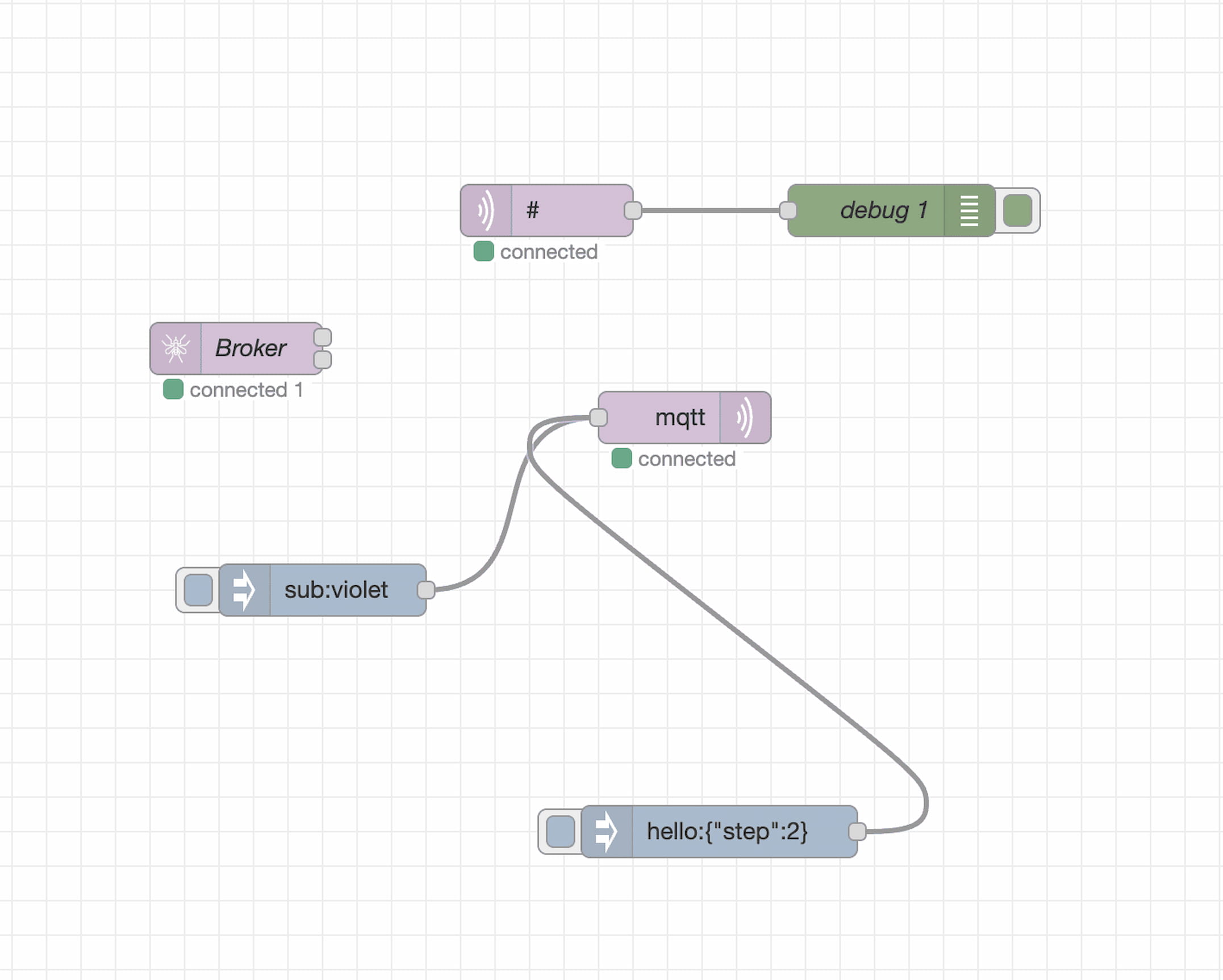
AVstudio now connects to Node-RED, Home Assistant, and other systems over the MQTT Protocol. It only takes two clicks to establish a connection, making it easier than ever to exchange data between your interface and an automation or control system. This highly efficient solution enables dynamic management of data flows and end devices.
Bug Fixes and Performance Enhancements
In addition to MQTT support, this update includes several refinements:
Stabilized Mixed DataSources: Fixed issues where local fallbacks for a repair DataSource were not correctly retrieved.
Improved Performance: Element selection, positioning, and property adjustments make AVstudio Editor faster, smoother, and more efficient.
AVstudio Editor Continues To Evolve
Update 3.9.12 reinforces AVstudio Editor’s powerful features through open, flexible connectivity. With MQTT, Node-RED, and real-time data feedback, your projects can be created faster, smarter, and more precise than ever.
Click the link below for a short video showcasing how this update enhances the development process: 👇
In the evolving world of AV and IoT technology, developers need tools that not only look professional but also streamline project completion and enhance efficiency. As the demand grows for solutions that are faster, smoother, and more dynamic, integrators are moving away from traditional interface builders and embracing AVstudio Editor, the industry’s leading HTML5 GUI and IoT platform.
Here are five reasons why AVstudio Editor is, without a doubt, the #1 interface development tool on the market.
Built for Now and the Future
Many tools still used by developers today are severely outdated, inflexible, slow to process, and locked into fixed-resolution layouts. AVstudio Editor, on the other hand, is built entirely with HTML5, enabling a new standard of speed, adaptability, and design freedom.
It integrates seamlessly with modern AV, IoT, and automation technologies, delivering responsive scaling, dynamic performance, and visually stunning interfaces without the need for extra software or plug-ins.
AVstudio Editor is built to grow with the industry. Its robust HTML5 infrastructure ensures that, as technology evolves, AVstudio evolves with it. The platform is AI-ready and designed for continuous expansion, allowing it to adapt to innovations and remain at the forefront of modern interface development. Its progressive and adaptive design ensures every project looks and performs perfectly across any screen or device.
A Unified Workflow with Faster Development
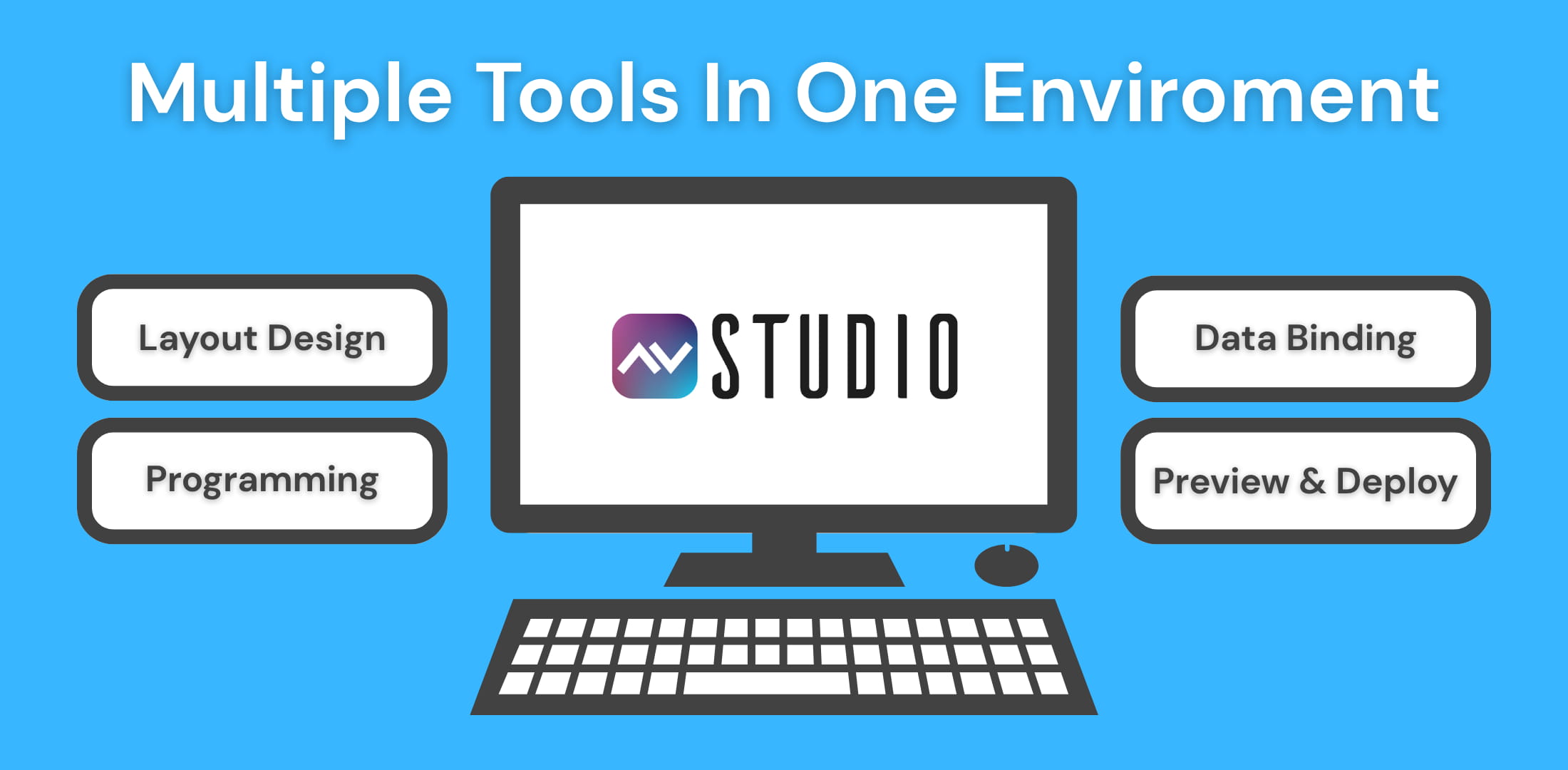
A frequent struggle for interface developers is the need to use multiple programs, tools, and platforms to complete a single project. AVstudio Editor eliminates this problem by enabling a unified, all-in-one workflow that remains fully compatible with other tools.Gone are the days of switching between separate applications for layout, scripting, and testing. AVstudio Editor combines visual design, live previews, and integration tools into a single powerful environment.
Developers can design visually with a WYSIWYG editor, but also create custom HTML5 blocks, JavaScript functions, and CSS styling when more control is needed. Designers can bind components directly to data sources, logic, or API endpoints, preview changes instantly, and deploy to devices with ease.
All of these features are built to dramatically reduce project turnaround time. When you save time, you save money. AVstudio Editor delivers the fastest, cleanest, and most efficient HTML5 GUI design experience possible.
Node-RED Integration and API Support
Modern AV and IoT systems rely on cross-platform connectivity, real-time communication, and dynamic data exchange. Every component, from lighting controls to security systems, must work together seamlessly for an interface to feel functional, high-end, and professional. In most interface builders, achieving this level of integration requires manual coding or forces developers to work within limited toolsets.
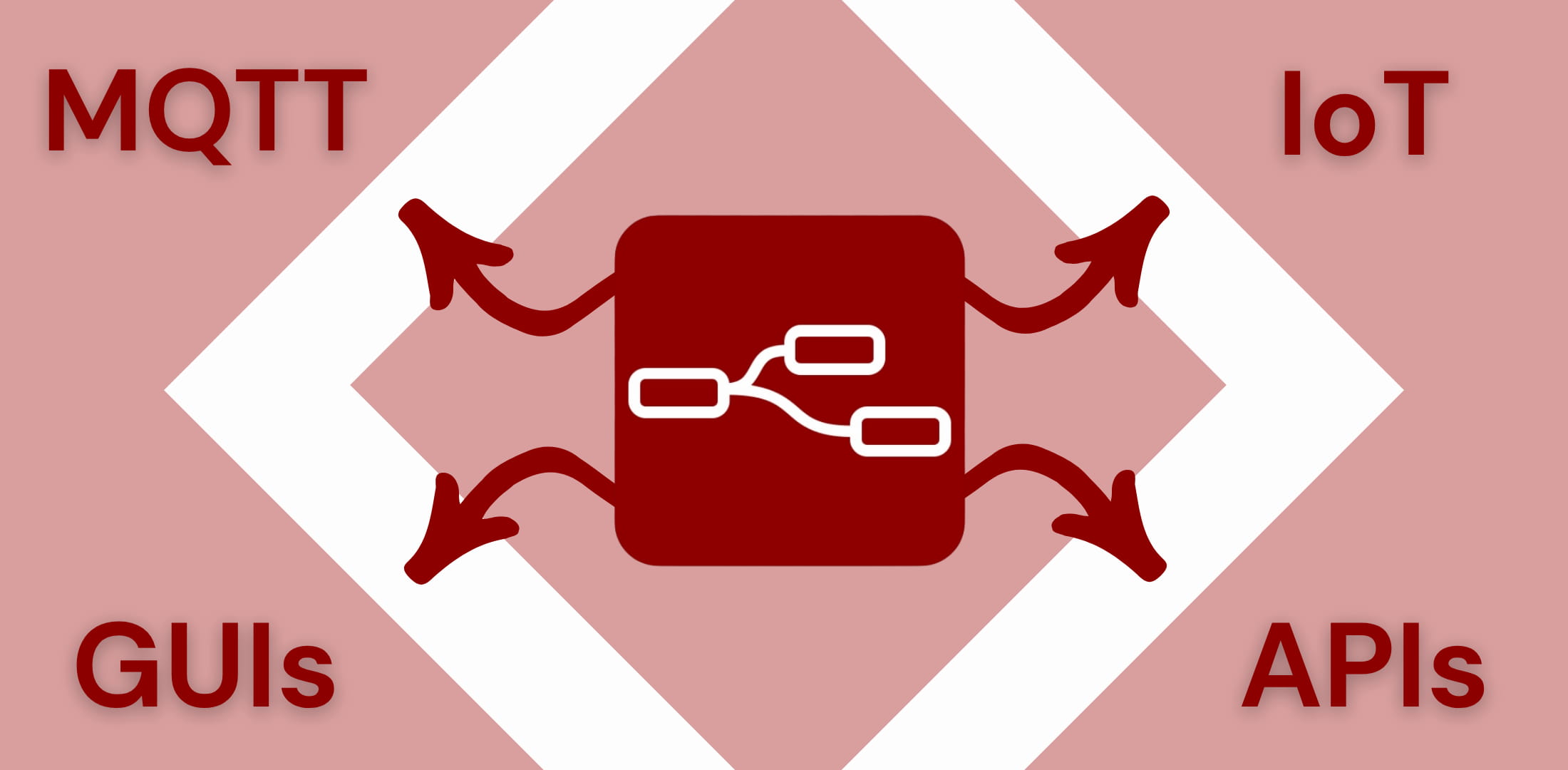
AVstudio Editor eliminates these barriers with Node-RED integration, full API support, and native MQTT connectivity. These capabilities allow developers and integrators to connect their graphical interfaces directly to live system data, automation logic, and cloud services without writing extensive code.
In just a few clicks, you can connect to Node-RED and start managing GUDE, NETIO, or other network-based devices, or even control IoT sensors and relays directly. Data sources drive the dynamic behavior of every interface, updating visuals and logic in real time. This compatibility saves developers countless hours and provides a more efficient, flexible alternative to manual programming. Through visual logic and low-code connectivity, AVstudio empowers users to focus on design and innovation rather than troubleshooting.
Adaptability and Compatibility
Possibly the most valuable aspect of AVstudio Editor, and what truly sets it apart from other interface builders, is its unmatched flexibility. This begins with its compatibility across numerous control systems, IoT devices, and programming tools, giving developers complete freedom in how they design and deploy projects.
AVstudio Editor removes the limitations that often slow down traditional workflows. Its flexibility is also showcased in its adaptability across devices, with a powerful HTML5 engine featuring progressive and adaptive design that automatically scales interfaces for any screen, from touch panels to tablets, laptops, and large-format displays.
AVstudio Editor stands as the #1 interface builder for developers who value versatility and creative freedom. Simply put, design once and deploy across multiple environments, systems, and devices of all kinds.
Speed, Precision, and Scalability
AVstudio Editor features a robust framework that enables developers to move from concept to deployment faster than ever before. With reusable templates, customizable components, and adaptive layouts, projects can be built efficiently while minimizing repetitive work.
Every element in AVstudio is designed for precision. Fine-tuning details is effortless with live previews, snapping grids, and advanced CSS styling, allowing for pixel-perfect accuracy and seamless visual alignment across every device and display.
AVstudio Editor delivers the scalability modern projects demand. There’s no need to start from scratch; existing interfaces can easily evolve and expand as requirements grow. Whether you’re designing a small interface for a single room or a full-scale commercial control system, AVstudio’s HTML5 foundation ensures smooth performance, responsive design, and limitless future development potential.
Smarter Interfaces Start with AVstudio
In an industry evolving every day, experience AVstudio Editor, the future of interface design and the #1 tool for developers looking to maximize speed, efficiency, adaptability, and flexibility. Built on a powerful HTML5 foundation, it gives developers everything they need to design, integrate, and deploy dynamic interfaces with ease.
Start creating smarter, more connected experiences today with AVstudio Editor.
We’re proud that AVstudio Editor has already completely transformed AV interface development. Where integrators once faced long hours of complex coding or the constraints of rigid builders, AVstudio Editor introduced a fast, flexible, and intuitive way to design user interfaces.
Now, with App Container, we’re expanding that ecosystem to give you the number one way to view, deploy, and run your projects on mobile devices. Whether your project was built in AVstudio, AMX, QSC, KNX, Crestron, another platform, or even as a custom HTML5 project, App Container lets you run, test, and manage it seamlessly on both iOS and Android.
The Value of App Container
Throughout the development process of an interface or web design, viewing your projects through traditional browsers isn’t enough. They’re limited in stability, remote management, and working with specialized integrations. App Container serves as a reliable and dedicated environment for running, viewing, and managing professional interfaces. While it excels with AV projects, App Container is also built to run website designs or other programs to meet your specific needs.
Key features include:
Simplified Project Management
Create and organize multiple project lists.
Switch seamlessly between applications.
Manage deployments, upload archives, and push updates all remotely.
Mobile Web Server Power
Run apps locally, even without an internet connection.
Debug with advanced tools, including automatic screenshot capture.
Developer-First Integration
CI/CD pipeline integration
Switch seamlessly between applications.
Flexibility Beyond Browsers
Skip common web limitations
Compatible with secure and specialized systems
App Container is a dedicated deployment and runtime platform built for the unique needs of AV interface, automation, website, or program development. By combining universality, remote management, and modern debugging tools, it delivers a level of quality that ordinary browsers can’t match.
Help Us Make App Container Better
In our effort to make App Container the best it can be, we invite you to join as a beta tester. As a beta tester, you’ll gain early access to the platform and play an essential role in shaping its future. We value your feedback and encourage you to report any issues, critiques, or questions you may have to our team.