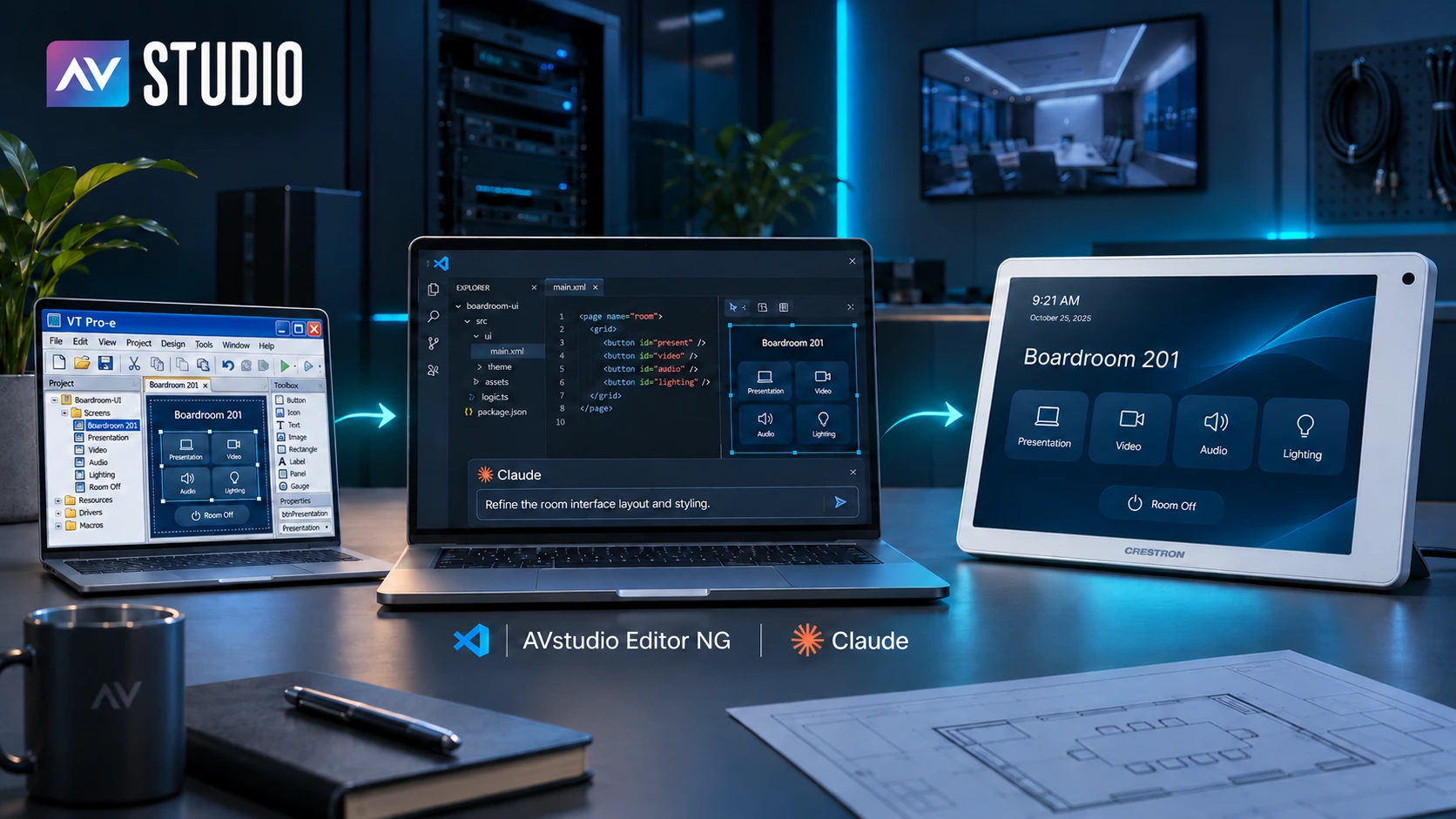
Open web technologies, AI coding assistants, and visual editors are giving system integrators new ways to build and modernize control interfaces.
For years, AV system integrators have used specialized tools and platform-specific workflows to create control interfaces. Those tools continue to serve many installations well, but HTML5 and AI-assisted development are opening up new options for building and maintaining user experiences.
Together, AVstudio Editor NG and AI coding assistants give integrators a practical way to approach these challenges: AI can help develop and revise the code, while Editor NG lets them visually build and refine the HTML5 interface. The combination can support work ranging from modernizing an aging touch panel to integrating devices and refining system behavior.
A Real-World Example from the Crestron Community
In a post shared in the Crestron Professionals Group on Facebook, an integrator described using Claude Code while modernizing an existing Crestron project. According to the post, the work included recreating a VT Pro-e interface in CH5, cleaning up SIMPL programming, and creating a webhook driver for a Ubiquiti doorbell.
The resulting system switches the touch panels to the doorbell camera feed and plays a customized notification when someone presses the doorbell.
The example is interesting because it spans more than interface design: it also involves programming, device integration, and system logic. It illustrates the kind of solution an integrator can build with AI assistance. The post does not establish that Editor NG was used, describe the full development process, or show how much work was done manually.
What HTML5 Brings to AV Interfaces
HTML5 gives integrators access to the broader web development ecosystem. With HTML, CSS, and JavaScript, teams can draw on a wide range of tools, libraries, frameworks, and coding assistants when creating interfaces.
Depending on the target platform and project architecture, web technologies can support:
- Responsive layouts for different screen sizes.
- Animations and transitions.
- Interactive graphics and data visualization.
- Custom components and dynamic device feedback.
- Connections to external APIs and services.
This does not mean every web feature will work on every touch panel or control platform. Hardware capabilities, supported runtimes, and communication requirements still matter. But HTML5 gives integrators a common set of technologies to work with and a larger ecosystem from which to draw.
Where AI Can Help Integrators
AI coding assistants such as Claude Code, OpenAI Codex, and GitHub Copilot can help developers explore solutions, write and revise code, and troubleshoot problems. In an AV project, that assistance might include:
- Creating HTML and CSS interface components.
- Reworking an existing interface for a modern platform.
- Writing JavaScript functions and working with APIs or WebSockets.
- Investigating device communication issues.
- Refactoring code and drafting technical documentation.
AI-generated output still needs review and testing. An assistant may misunderstand the control architecture, produce incorrect code, or overlook a security or reliability requirement. The integrator’s knowledge of the system, network, devices, and user experience remains essential.
Used thoughtfully, AI can help speed up parts of development while the professional stays responsible for the result.
Bringing Visual Editing and Code Together
A functional interface needs more than working code. It also needs clear navigation, consistent visual design, readable feedback, suitable touch targets, and predictable behavior on the target hardware.
Visual editing and AI-assisted coding can complement each other. An integrator might use an assistant to help create or modify a component, then inspect and refine its appearance in a visual editor. The same project can continue to be developed with familiar coding tools as requirements evolve.
This combination gives teams another way to move between design and implementation without treating them as separate workflows.
AVstudio Editor NG
AVstudio Editor NG is a free visual development environment delivered as an extension for Visual Studio Code. It brings visual interface editing into a coding environment where integrators can work with modern web technologies.
Editor NG offers WYSIWYG editing, HTML, CSS, JavaScript, and JSON-based development, CH5 project export, and offline development workflows. Because it operates within Visual Studio Code, integrators can also use compatible AI coding assistants alongside it.
Together, Editor NG and an AI assistant can help an integrator build a solution like the one described above. AI can assist with code and integration logic; Editor NG provides a visual environment for designing and refining the HTML5 interface; and the integrator connects the pieces, reviews the work, and tests the system on its target hardware. Actual capabilities and integration steps depend on the project and the devices involved.
This workflow gives AV professionals more flexibility in how they create, maintain, and modernize projects.
Modernizing an Existing System
Many AV installations continue to operate reliably even when their interfaces begin to feel dated. In some cases, an integrator may be able to improve the user experience without replacing the entire control system.
The first step is to assess the existing hardware, control architecture, supported runtimes, and communication methods. Where those support a modern HTML5 interface, AI tools can help analyze requirements and recreate components, while visual tools can help refine the design. Integration and testing remain essential before deployment.
That can create opportunities to extend the useful life of an installation and give customers a more modern experience.
Beyond a Single Touch Panel
Depending on the project architecture and supported communication methods, an HTML5 interface may be used across dedicated touch panels, tablets, mobile devices, and other compatible environments.
The AVstudio ecosystem includes tools for different stages of that workflow:
- AVstudio Editor NG: A visual development environment for creating control interfaces.
- App Container: An application for running HTML5 projects in a full-screen, touch-optimized environment on supported devices.
- AVS-10 and AVS-15: Dedicated Android-based touch panels for AV and automation applications.
The right deployment depends on the project’s hardware, runtime, and integration requirements.
A More Open Future for AV Development
AV development will continue to draw on established control platforms as well as modern web technologies and intelligent development tools. For integrators, the opportunity is to choose the combination that fits the project and the customer.
At AVstudio, we call that philosophy True Open: giving professionals the freedom to choose their tools, customize their interfaces, and bring different technologies together.
AI-assisted development is already entering AV workflows. Combined with HTML5 and visual editing, it gives integrators more options for building the next generation of control interfaces.
ReConstruct your approach to AV interface development.